Configuring TFTP
Configuring Trivial File Transfer Protocol (TFTP) on your FreeCORE.
Setting Up TFTP
The Trivial File Transfer Protocol (TFTP) is a light-weight version of FTP. It is often used in a local environment. It can transfer configuration or boot files between machines, such as routers. TFTP offers a very limited set of commands and provides no authentication.
Determine the usage requirements for the FreeCORE system. If they are minimal, configure TFTP. For example, if the FreeCORE system is only used for storing images. Or if it is only used to store configuration files for network devices.
If the system has minimal usage requirements, start the service. Starting the TFTP service opens UDP port 69.
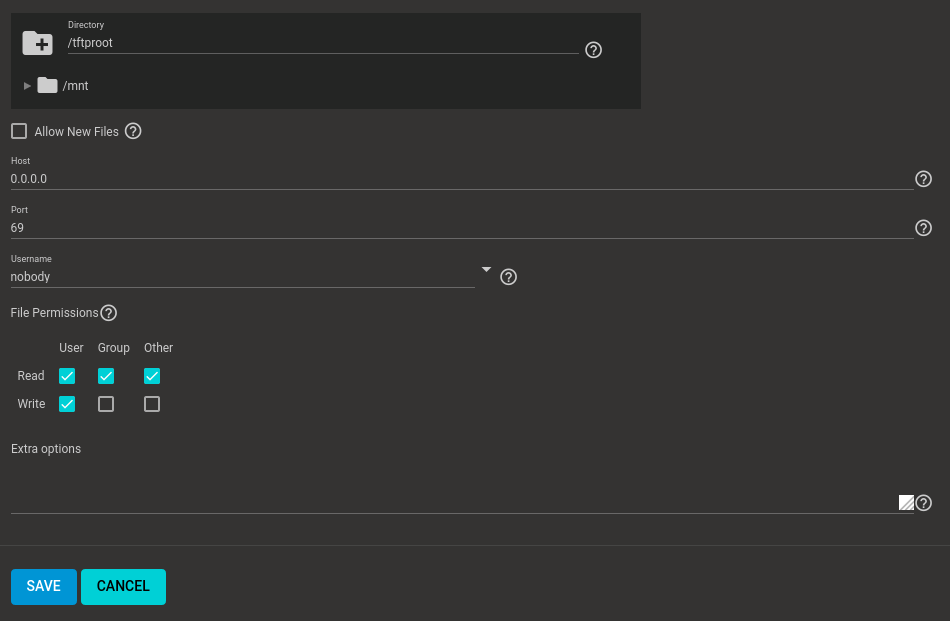
Use the TFTP screen to configure the system for SFTP.