Network
Network Summary
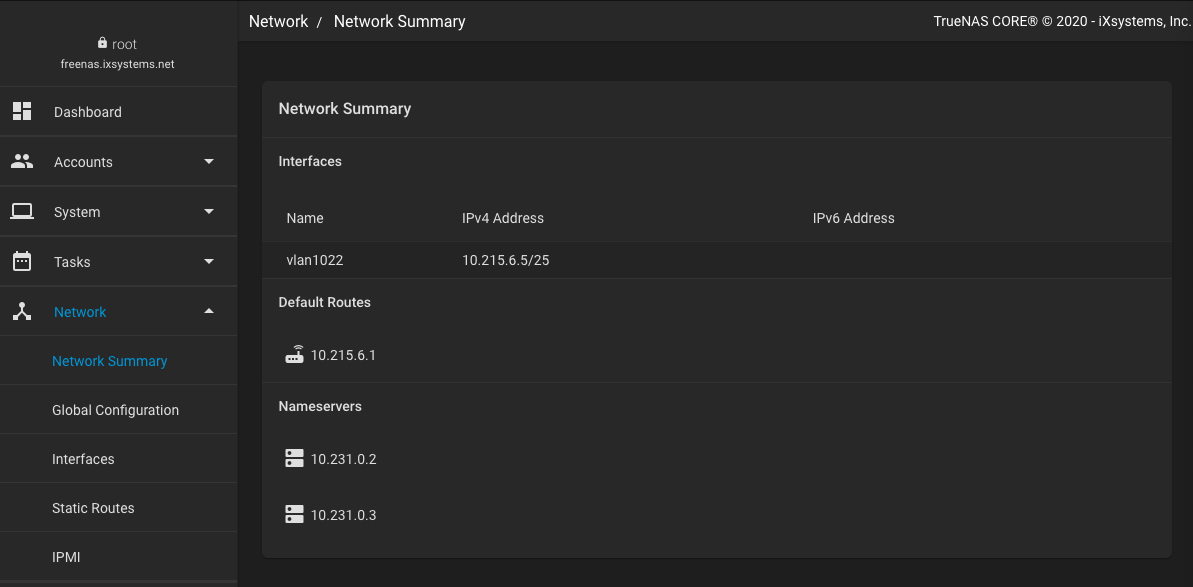
The Network Summary screen gives a concise overview of the current network setup. It provides information about the currently active interfaces, default routes, and name servers configured on the system. These areas are not editable.
-
Interfaces shows configured physical, bridge, link aggregation LAGG, and virtual LAN vlan interfaces. All detected physical interfaces are listed, even when unconfigured. The IPv4 or IPv6 address displays when a static IP is saved for an interface.
-
Default Routes lists all saved FreeCORE default routes. Go to Network > Global Configuration to configure default routes.
-
Nameservers lists any configured DNS name servers that FreeCORE uses. To change this list, go to Network > Global Configuration. Network > Global Configuration contains the FreeCORE host name and domain, and default gateway. It also contains other options.
Define a static route in Network > Static Routes.
Out-of-band management is managed from Network > IPMI. This option is visible only when FreeCORE detects the appropriate physical hardware.