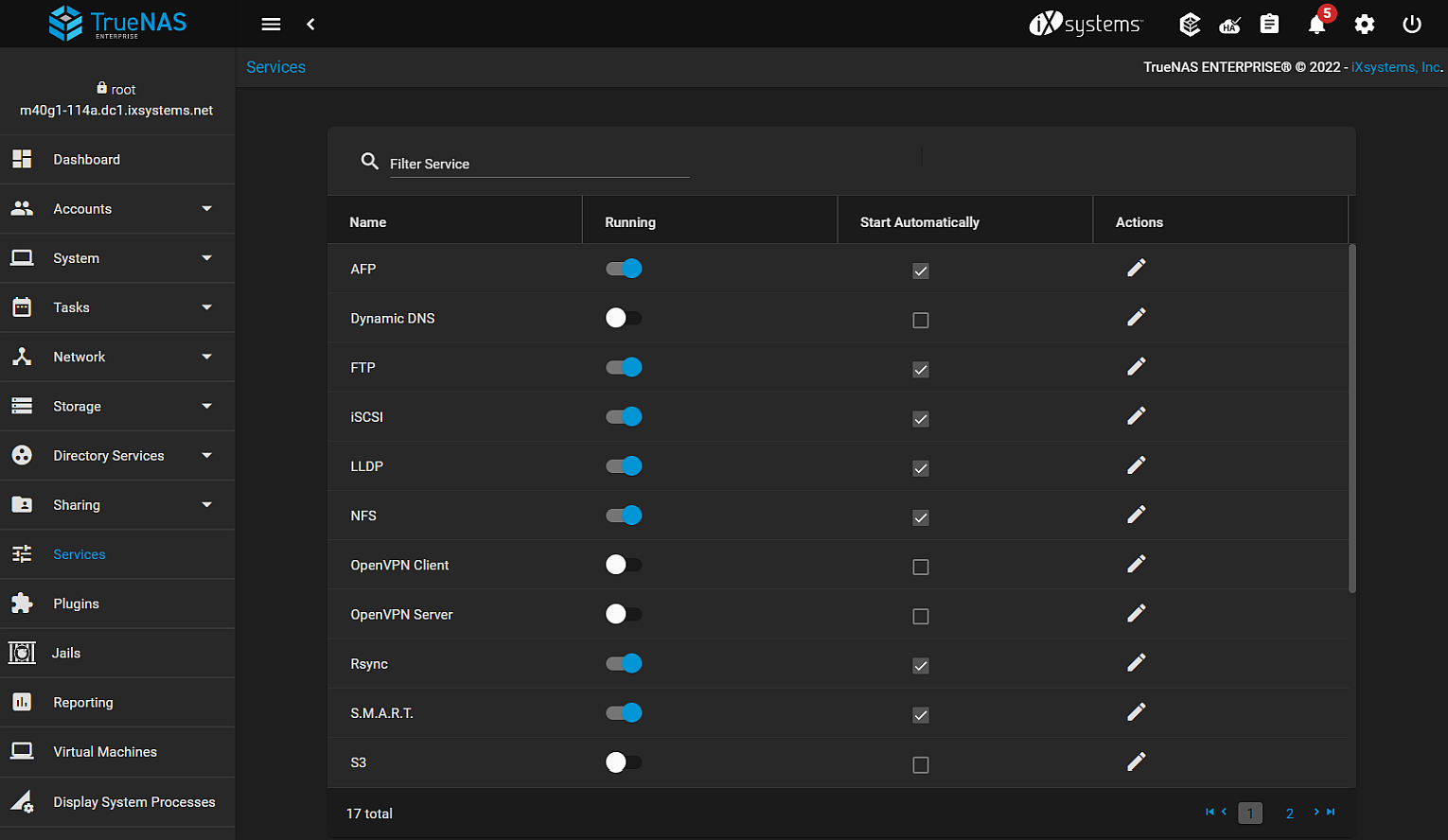
The Services screen lists all services available on the FreeCORE.
Activate or configure a service on the Services page.
Figure 1: System Services
Use the right slider to scroll down to the bottom of the list of services or click on page 2, or the arrow right alt2 or last page arrows.
To locate a service, type in the Filter Search field to narrow down the list of services.
Select Start Automatically for configured services that need to start after the system boots.
Click the toggle to start or stop the service, depending on the current state. Hover the mouse over the toggle to see the current state of that service. The toggle turns blue when it is running.
Click the Configure icon to display the settings screen for a service.
Services related to data sharing or automated tasks are documented in their respective Sharing or Tasks.
Services Articles
01
Configuring Dynamic DNSProvides instructions on how to configure Dynamic Domain Name Service (DDNS) on your FreeCORE system.
02
Configuring SFTPConfiguring SSH File Transfer Protocol (SFTP) service on your FreeCORE.
03
Configuring FTPProvides information on how to configure File Transfer Protocol (FTP) on your FreeCORE.
04
Configuring RsyncProvides information on how to configure remote sync (rsync) on your FreeCORE.
05
Configuring LLDPProvides information on how to configure Link Layer Discovery Protocol (LLDP) on your FreeCORE.
06
Configuring OpenVPNConfigure OpenVPN server and client services on FreeCORE.
07
Configuring S.M.A.R.T.Configurinng Self-Monitoring, Analysis and Reporting Technology (S.M.A.R.T.) on your FreeCORE.
08
Configuring SNMPProvides information on how to configure Simple Network Management Protocol (SNMP) on your FreeCORE.
09
Configuring SSHProvides instructions on configuring Secure Shell (SSH) on your FreeCORE.
10
Configuring TFTPConfiguring Trivial File Transfer Protocol (TFTP) on your FreeCORE.
11
Configuring UPSProvides information on configuring UPS service on your FreeCORE.