Configuring Dynamic DNS
Provides instructions on how to configure Dynamic Domain Name Service (DDNS) on your FreeCORE system.
ISPs often change the IP address of the system. With Dynamic Domain Name Service (DDNS) the current IP address continues to point to a domain name to provide access to FreeCORE.
DDNS requires registration with a DDNS service such as DynDNS before configuring FreeCORE. Open your specific DDNS service settings in another browser tab for reference while configuring FreeCORE. Log in to the FreeCORE web interface and go to Services > Dynamic DNS.
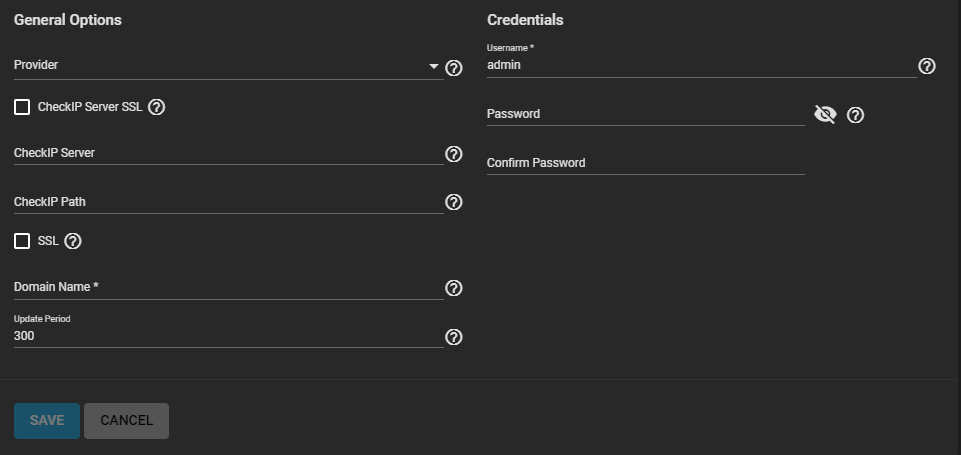
Your DDNS solution provides the required values for these fields. Start the DDNS service after choosing your Provider options and saving the settings.