Configuring UPS
Provides information on configuring UPS service on your FreeCORE.
An Uninterruptible Power Supply (UPS) is a power backup system that ensures continuous electricity during outages, preventing downtime and damage.
Info
FreeCORE uses NUT (Network UPS Tools) to provide UPS support. For supported device and driver information, see their hardware compatibility list.
Report UPS bugs and feature requests to the NUT project.
Setting Up UPS Service
Connect the FreeCORE system to the UPS device. Configure the UPS service by going to Services, finding the UPS entry, and clicking Configure edit icon.
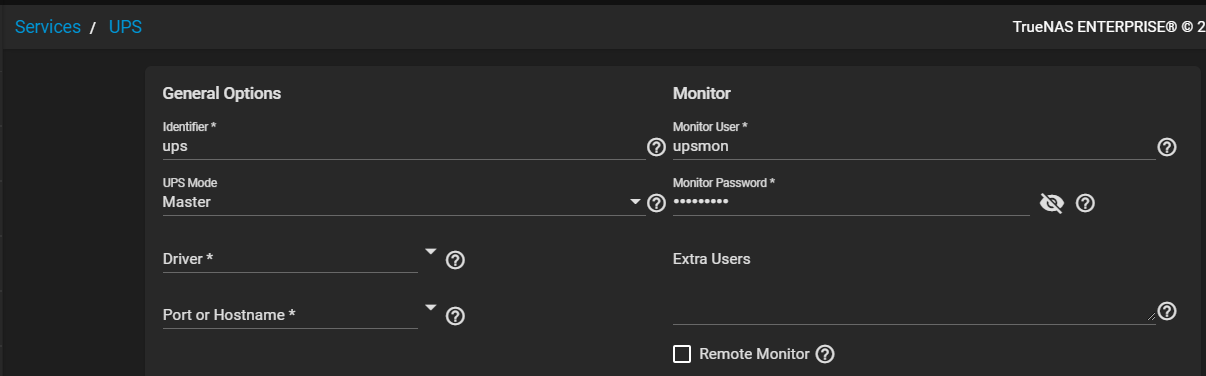
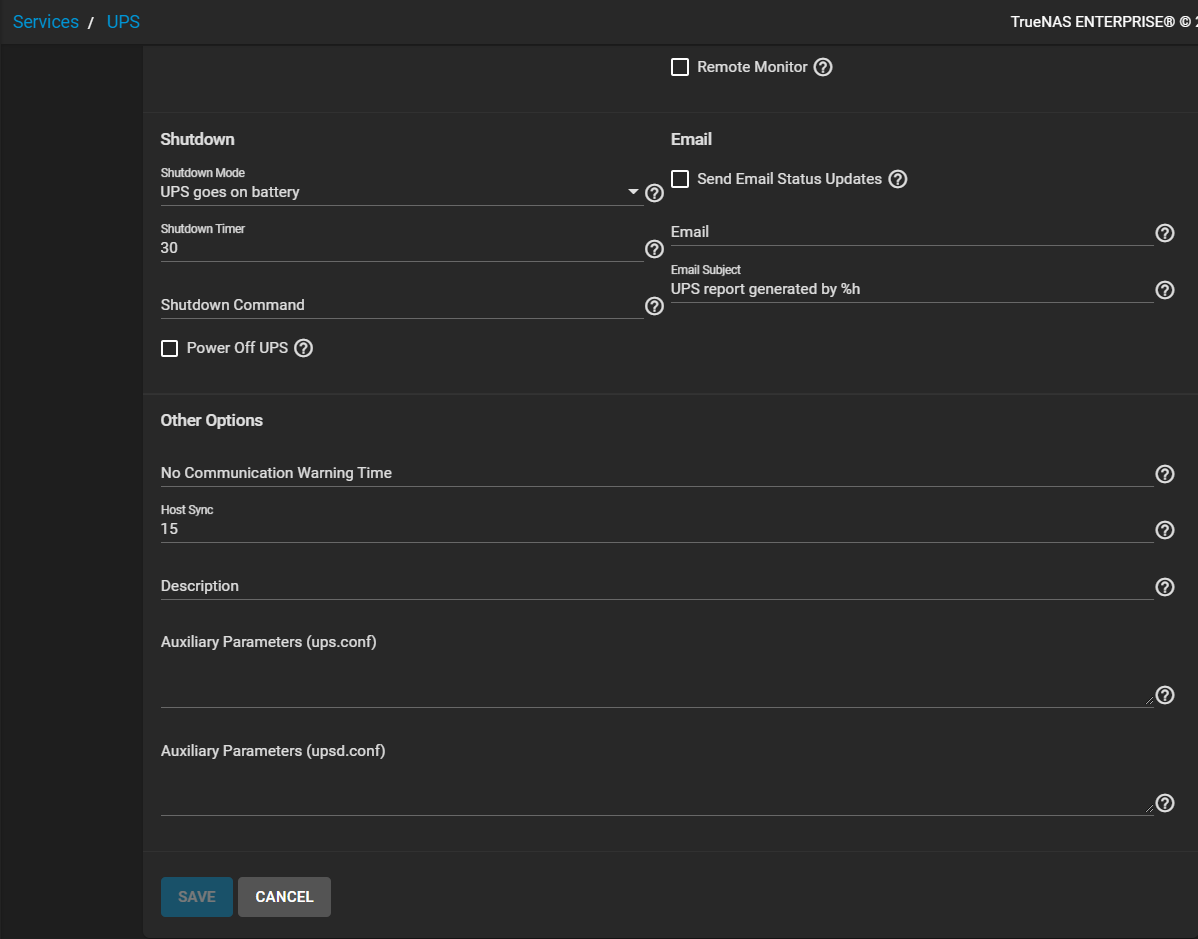
See UPS Screen for more information on UPS settings.
Some UPS models can be unresponsive with the default polling frequency.
This shows in FreeCORE logs as a recurring error like libusb_get_interrupt: Unknown error.
The default polling frequency is two seconds. Decrease the polling frequency by adding an entry to Auxiliary Parameters (ups.conf): pollinterval = 10. This should resolve the error.
upsc(8) can get status variables like the current charge and input voltage from the UPS daemon.
Run this command from the shell using the syntax upsc ups@localhost.
The upsc(8) manual page has other usage examples.
If the hardware supports sending the command, upscmd(8) can send commands directly to the UPS. Only users with administrative rights can administer these commands. Create these users in the Extra Users field.