Provides information on how to configure remote sync (rsync) on your FreeCORE.
Rsync is an open source cross-platform file transfer and synchronization utility. It is a fast and secure way to copy data to another system for backup or to migrate data to a new system.
Use the default settings unless you require a specific change. Don't forget to click SAVE after changing any settings.
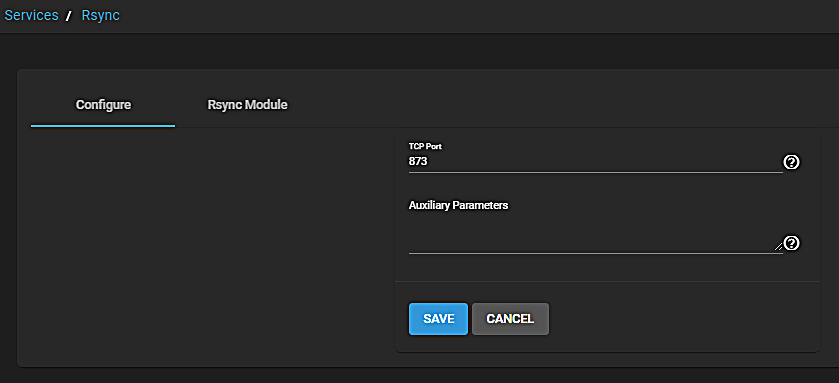
Log in to the FreeCORE web interface and go to Services > Rsync. Click the Configure icon to edit the Rsync settings.
Rsync Configuration Screen
Enter the TCP Port you want Rsync to listen on, then enter any rsyncd.conf(5)Auxiliary Parameters.
Figure 1: Configuring rsync
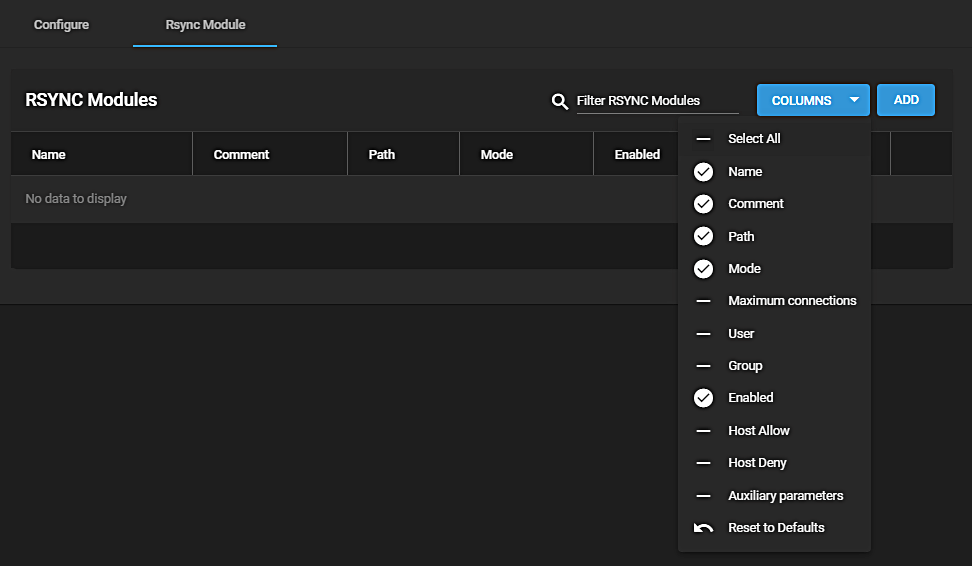
Rsync Modules
FreeCORE lists all created modules here.
Use this Rsync Modules list to EDIT or DELETE a module. Click to select a module to edit.
To create a new module, click ADD.
Figure 2: Creating a rsync module
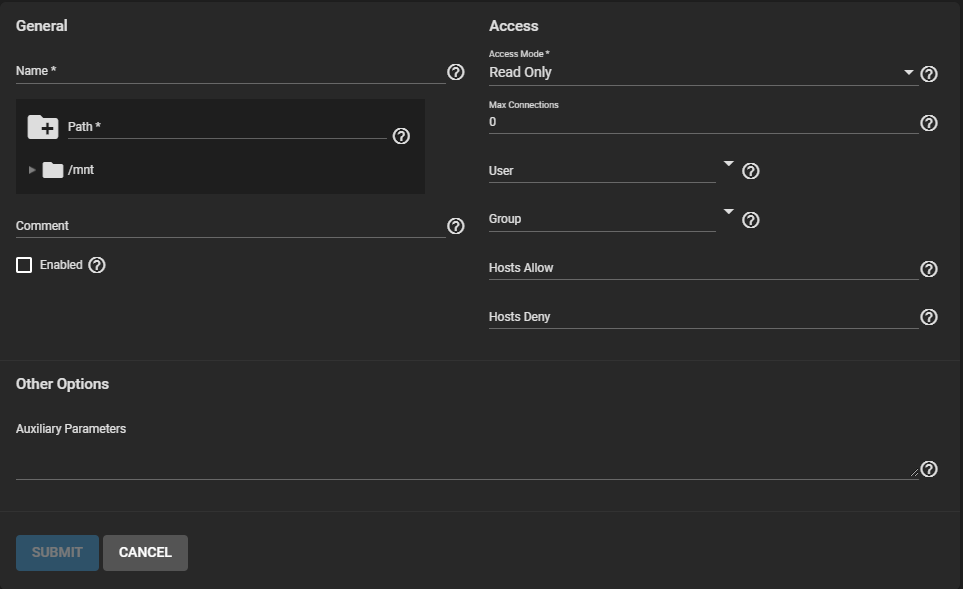
Name the module and select a Path to store it in. Select an Access Mode and fill out the rest of the fields to your needs.
Figure 3: Creating a rsync moduleRsync Services Add Module Options Defined
General
Name
Description
Name
Enter the IP address or host name of the system that will store the copy. Use the format username@remote_host if the user name differs on the remote host.
Path
Browse to pool or dataset to store received data.
Comment
Enter a description for this module.
Enabled
Select to activate this rsync module. Clear to deactivate but retain module configuration.
Access Mode
Select from dropdown list. Read Only, Write Only, Read and Write.
Max Connections
Enter a maximum number of connections. 0 is unlimited.
User
Select from dropdown list a user to run as during file transfers to and from this module.
Group
Select from dropdown list a group to run as during file transfers to and from this module.
Hosts Allow
Enter a value from rsyncd.conf(5). A list of patterns to match with the host name and IP address of a connecting client. Connection rejected if no patterns match. Separate entries by pressing Enter.
Hosts Deny
Enter a value from rsyncd.conf(5). A list of patterns to match with the host name and IP address of a connecting client. Connection rejected when the patterns match. Separate entries by pressing Enter.