Troubleshooting Tips
Provides troubleshooting tips for replication tasks on FreeCORE.
Using a Custom Schema
You can use Snapshot Tasks set up or imported with a custom schema name for "full backup" replication tasks. Incremental replication tasks will not work.
There are several ways to create a custom schema:
- Importing a ZFS dataset with snapshots into FreeCORE with a schema that doesn't match the FreeCORE schema.
- Creating a custom schema name in the Snapshot Task occurs when the Naming Schema field in a Periodic Snapshot Task is not the default.
Replication Task Log
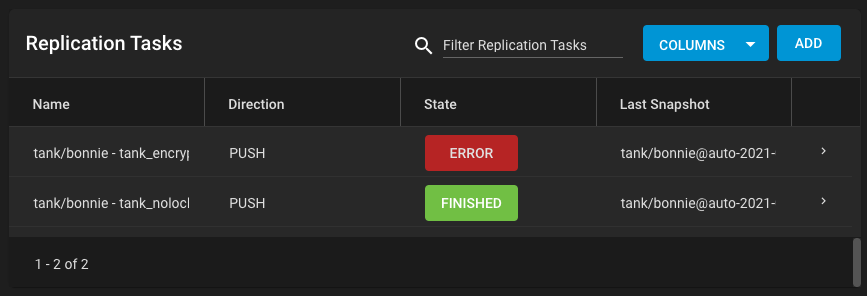
To view and download the replication task log, go to Tasks > Replication Tasks. Click on the state of the replication task.
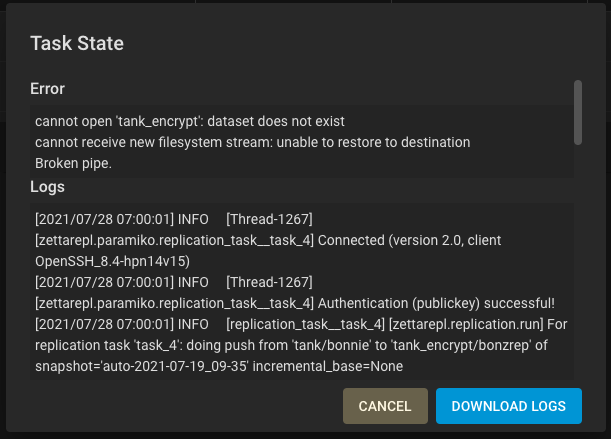
Click the DOWNLOAD LOGS button to download the log file.
Editing a Replication Task
To edit the replication task, go to Tasks > Replication Tasks.
Click the > to expand the replication task information, then click EDIT.
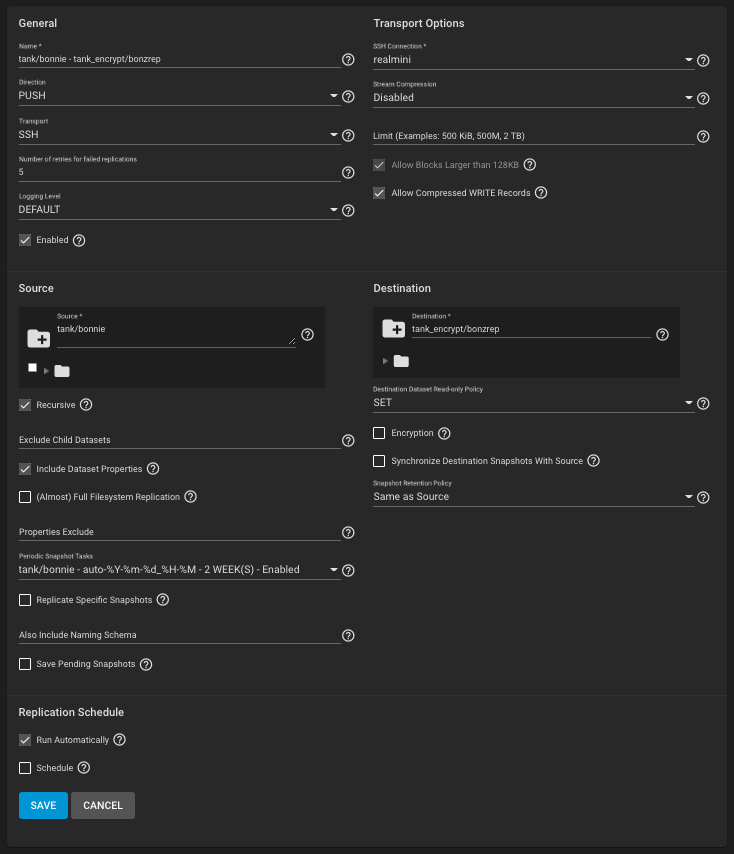
See Replication Advanced Options for descriptions of the available fields.
Replication Task Alert Priorities
To customize the importance and frequency of a Replication task alert (success or failure), go to System > Alert Settings and scroll down to the Tasks area. Set the Warning Level and how often the alert notification sends.
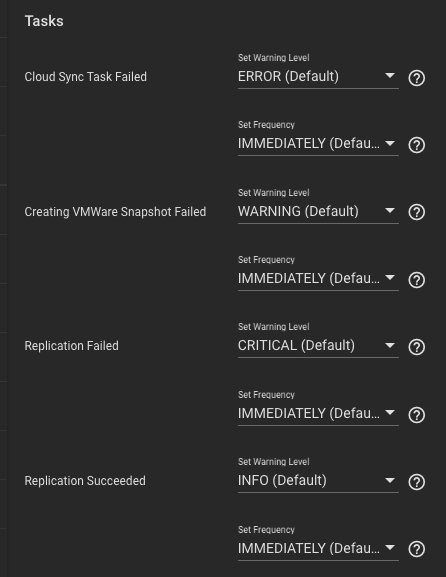
See Alert Settings for more information about this UI screen.
FAQ
Question: If the internet connection goes down for a while, does the replication restart where it left off - including any intermediate snapshots?
Answer: Yes.
Question: If a site changes a lot of data at once and the internet bandwidth is not enough to finish sending the snapshot before the next one begins, do the replication jobs run one after the other and not stomp on each other?
Answer: Yes.