Creating Cron Jobs
Describes how to create a cron job on FreeCORE.
FreeCORE allows users to run specific commands or scripts on a regular schedule using cron(8).
Creating a Cron Job
Go to Tasks > Cron Jobs and click ADD.
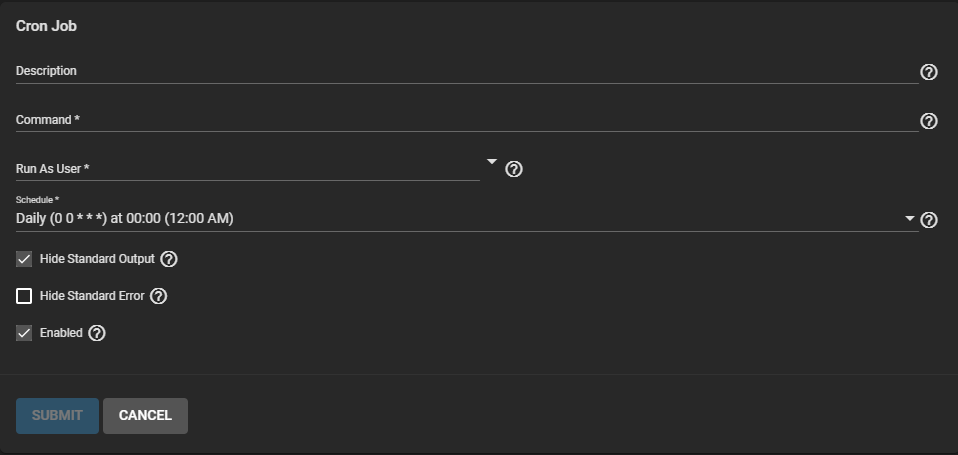
The Description helps identify the purpose of the cron job and is optional.
Enter the Command to run on the Schedule. Alternately, enter the path to a script file to run instead of a specific command.
Important
Don't forget to define the shell type when using a path to a script file. For example, a script written for sh must be specified as sh /mnt/pool1/helloWorld.sh.
Select a FreeCORE user account with the necessary permissions to run the Command or script.
Next, define the Command Schedule.
Additional Options:
- When Hide Standard Output (stdout) is unset, FreeCORE mails any standard output to the user account that runs the Command.
- When Hide Standard Error (stderr) is unset, FreeCORE mails any error output to the user account that runs the Command. Unsetting Hide Standard Error helps debug the Command or script if an error occurs.
- Unsetting Enabled only keeps the task from automatically running. You can still save the cron job and run it manually.
Managing a Cron Job
Go to Tasks > Cron Jobs and click the next to an entry to see details and options.
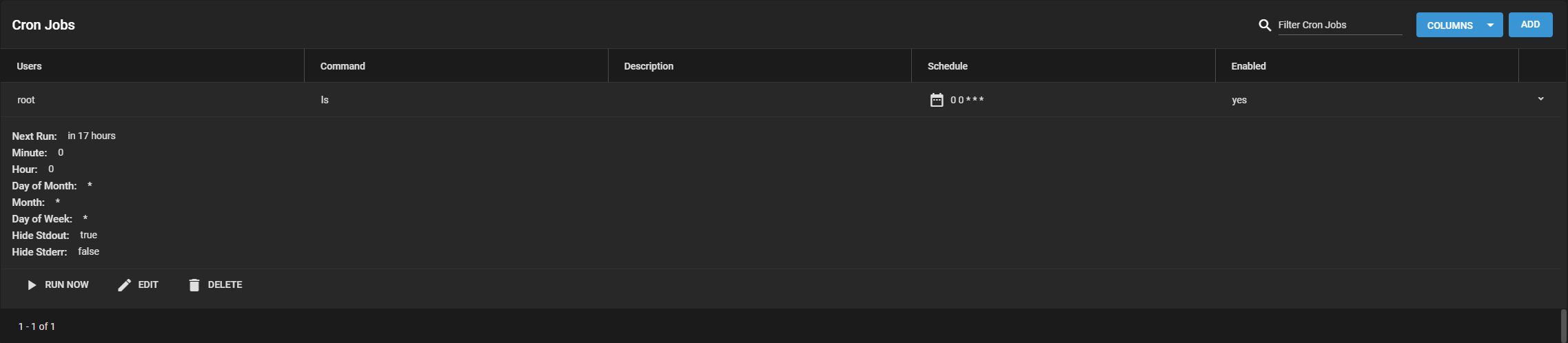
Clicking RUN NOW immediately starts the job Command, separately from any Schedule. EDIT changes any setting available during task creation. DELETE removes the cron job from FreeCORE. Once you delete a cron job, you cannot restore the job configuration.