Creating Init/Shutdown Scripts
Explains how to create scheduled scripts on FreeCORE.
Create an Init/Shutdown Script
FreeCORE can schedule commands or scripts to run at system startup or shutdown.
Go to Tasks > Init/Shutdown Scripts and click ADD.
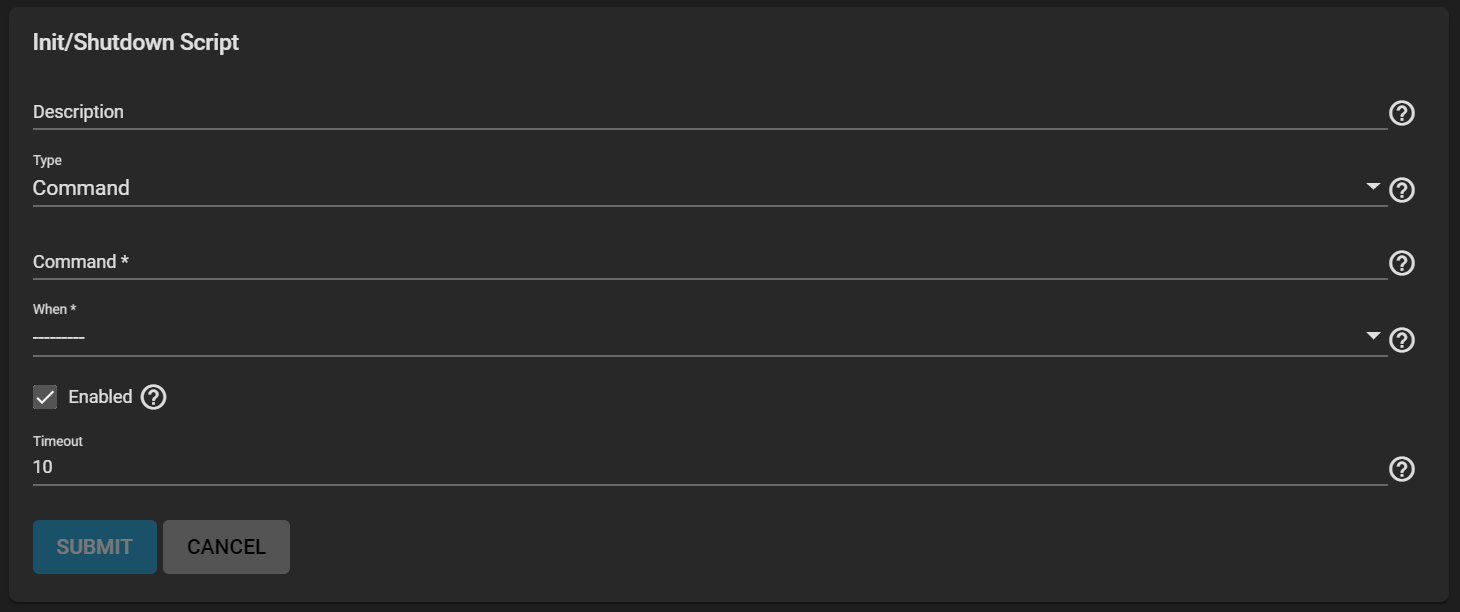
Enter a Description, then select a Type.
Command Type
Enter a command with any options you want. You can find commands here or on our Community Forums.
Select when you want the Command to run and fill out the rest of the fields to your needs, then click SUBMIT.
Script Type
Select the path to the Script. The Script runs using sh(1). You can find some helpful scripts on our Community Forums.
Select when you want the Script to run and fill out the rest of the fields to your needs, then click SUBMIT.
Managing an Init/Shutdown Script
Note
Always test the script to verify it executes and achieves the desired results.
All init/shutdown scripts are run with sh.
All saved Init/Shutdown tasks are in Tasks > Init/Shutdown Scripts. Click (Options) next to a task to EDIT or DELETE that task.