Creating Alerts
Describes how to create an alert on FreeCORE.
The alert system integrates with various third-party services. Tuning alerts helps personalize FreeCORE to any highly-sensitive issues.
Add an Alert Service
Go to System > Alert Services and click ADD.
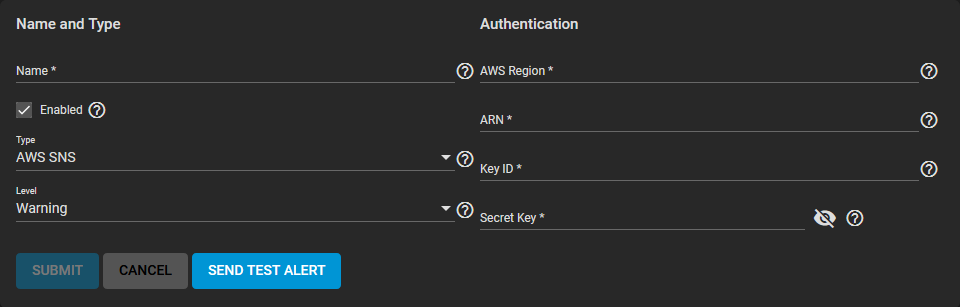
Choose a Type and fill out the options specific to that alert service, then test the service configuration by clicking SEND TEST ALERT.
Customize Alert Settings
Go to System > Alert Settings.
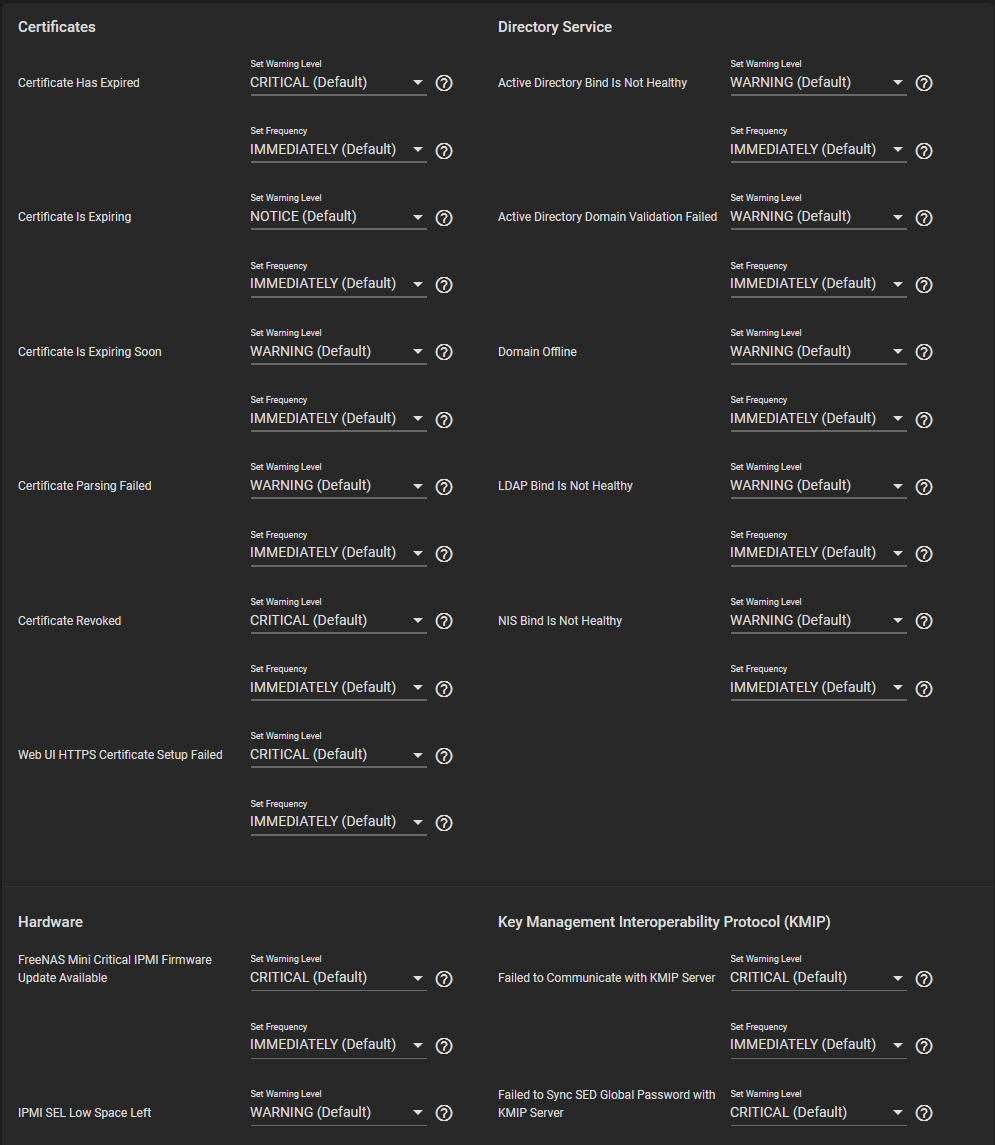
The UI groups alerts based on type. For example, alerts related to pools appear in the Storage alert section.
Customize each alert Warning Level and Frequency using the drop-down menus.
Changing any of these options affects every configured alert service.
Click SAVE before leaving the page.