SLOG Overprovisioning
Describes how to configure SLOG over-provisioning on FreeCORE.
Over-provisioning SLOG SSDs is useful for different scenarios. The most useful benefit of over-provisioning is greatly extending SSD life. Over-provisioning an SSD distributes the total number of writes and erases across more flash blocks on the drive.
Seagate provides a thoughtful investigation into over-provisioning SSDs here: https://www.seagate.com/blog/ssd-over-provisioning-benefits-master-ti/.
Note
Some SATA devices are limited to one resize per power cycle. Some BIOS can block resize during boot and require a live power cycle.
Overprovision Options
Web Interface
To over provision a SLOG device, log in to FreeCORE and go to System > Advanced. Enter an over-provision value corresponding to the new size in GB in the Log (Write Cache) Overprovision Size in GiB field.
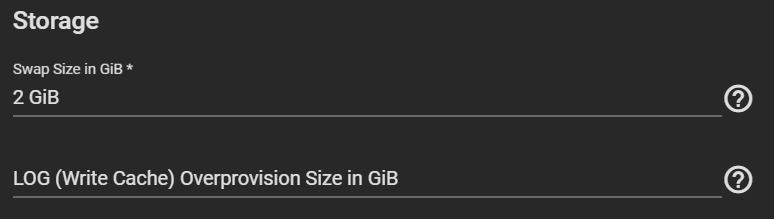
When this value is applied, the over-provision value is applied whenever a pool is created with a SLOG device.
It is impossible to restore an over-provisioned SLOG device back to original capacity without running the disk_resize command after first destroying the pool it was part of and issuing a full power cycle.
Note
Only one over-provision/under-provision operation occurs per power cycle.
Erasing the over-provision setting in System > Advanced Log (Write Cache) Overprovision Size in GiB field and setting to none prevents future SLOG devices from being over-provisioned.