Creating VMware-Snapshots
Describes how to create a VMware snapshot on FreeCORE.
Storage > VMware-Snapshots coordinates ZFS snapshots when using FreeCORE as a VMware datastore. When a ZFS snapshot is created, FreeCORE automatically snapshots any running VMware virtual machines before taking a scheduled or manual ZFS snapshot of the dataset or zvol backing that VMware datastore.
To copy FreeCORE snapshots to VMware, virtual machines must be powered-on. The temporary VMware snapshots are then deleted on the VMware side but still exist in the ZFS snapshot and are available as stable restore points. These coordinated snapshots go on the Storage > Snapshots list.
Note
The VMware account and license must allow snapshot operations through the API. Verify the API permissions and licensing for the deployed VMware version before configuring this integration.
Create a VMware Snapshot
Go to Storage > VMware Snapshots and click ADD.
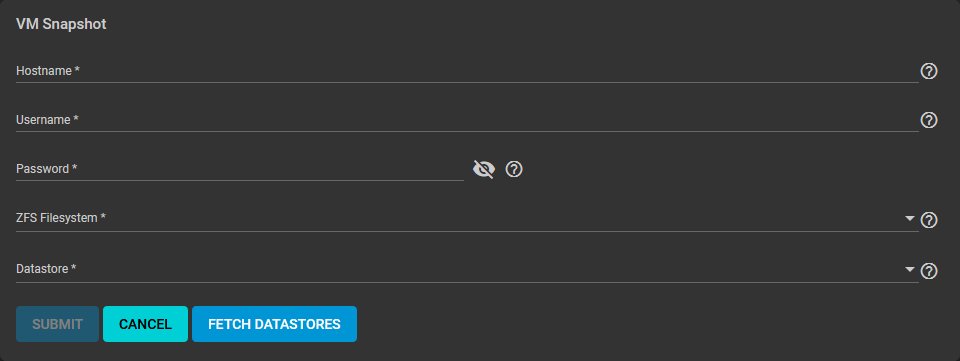
After entering the Hostname, Username, and Password, click FETCH DATASTORES to populate the menu and then select the datastore to synchronize.
FreeCORE connects to the VMware host after clicking FETCH DATASTORES. The ZFS Filesystem and Datastore drop-down menus populate from the VMware host response. Choosing a datastore also selects any previously mapped dataset.