ACME DNS Authenticator Screens
Fields and credentials for the ACME DNS providers available in FreeCORE.
System > ACME DNS stores the credentials or script FreeCORE uses to publish DNS challenges when requesting and renewing certificates. FreeCORE 15.0 provides Amazon Route 53. FreeCORE 15.1-RC1 adds Cloudflare, DigitalOcean, OVHcloud, and Shell.
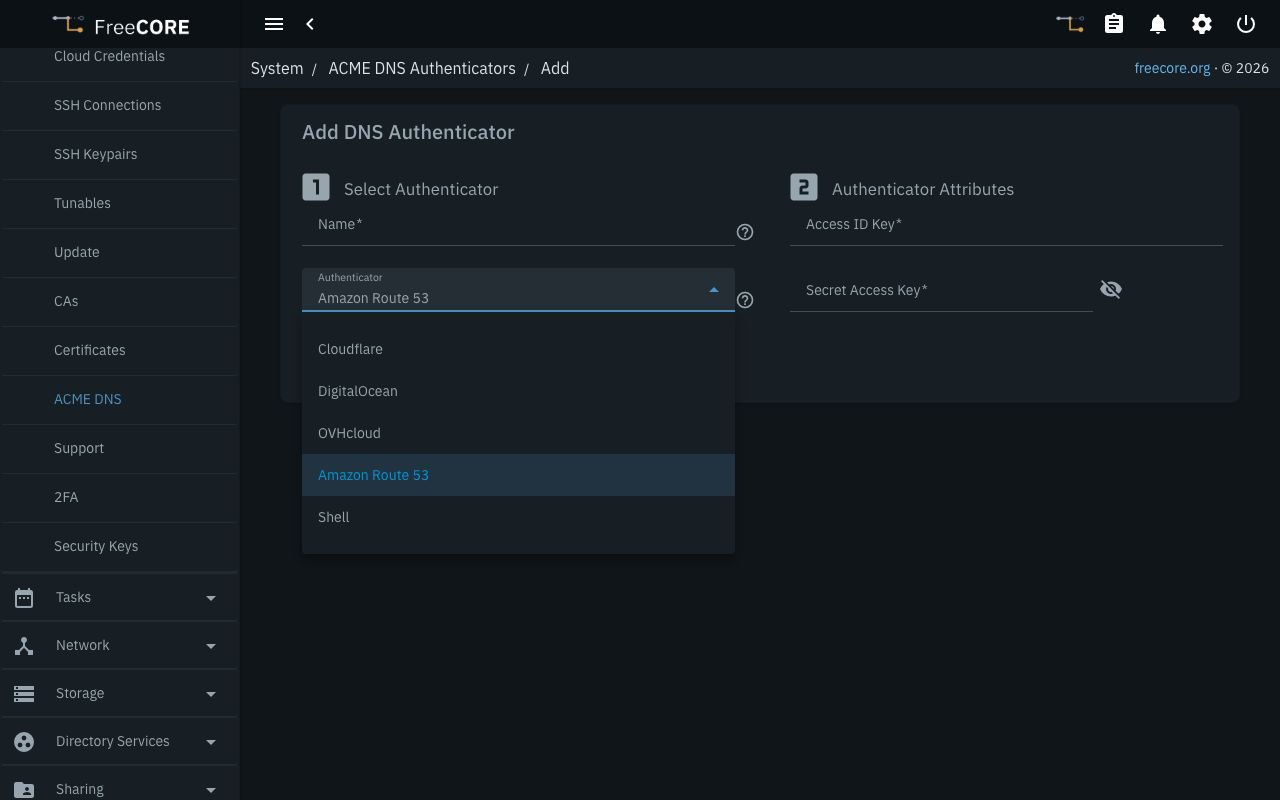
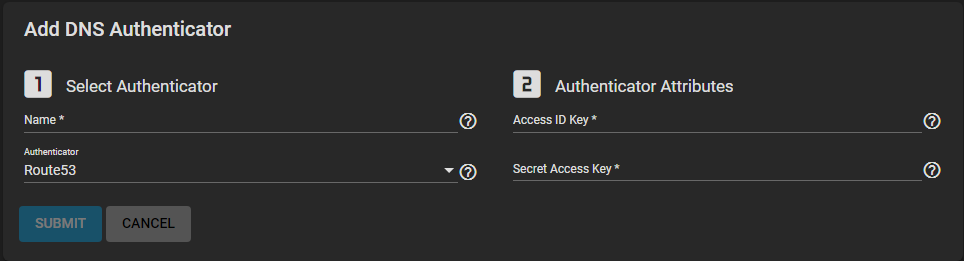
Click ADD, enter a unique Name, and choose an Authenticator. The fields change with the provider. SUBMIT saves the entry; it does not issue a certificate or demonstrate that the provider accepts its credentials. Continue with Requesting ACME Certificates.
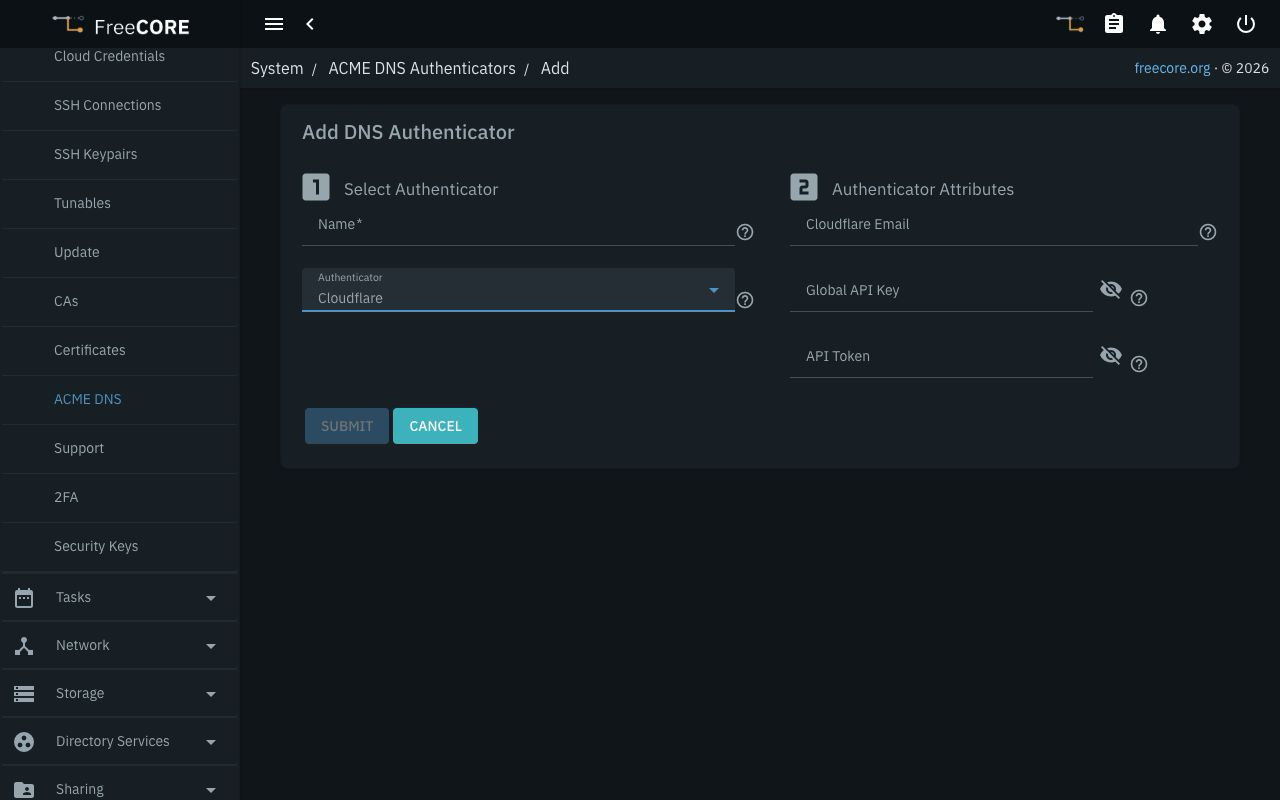
Cloudflare
Use an API Token restricted to the DNS zones needed for the certificate, with Zone:DNS:Edit permission. Leave Cloudflare Email and Global API Key empty when using a token. The alternative is the account email and its legacy Global API Key together; the form rejects a token combined with either legacy field. See the Cloudflare provider's credential requirements.
| Name | Description |
|---|---|
| API Token | Scoped token for the authoritative DNS zone. Use this by itself. |
| Cloudflare Email | Account email, required only with a Global API Key. |
| Global API Key | Legacy account key, required only with Cloudflare Email. It is broader than a zone-scoped token. |
DigitalOcean
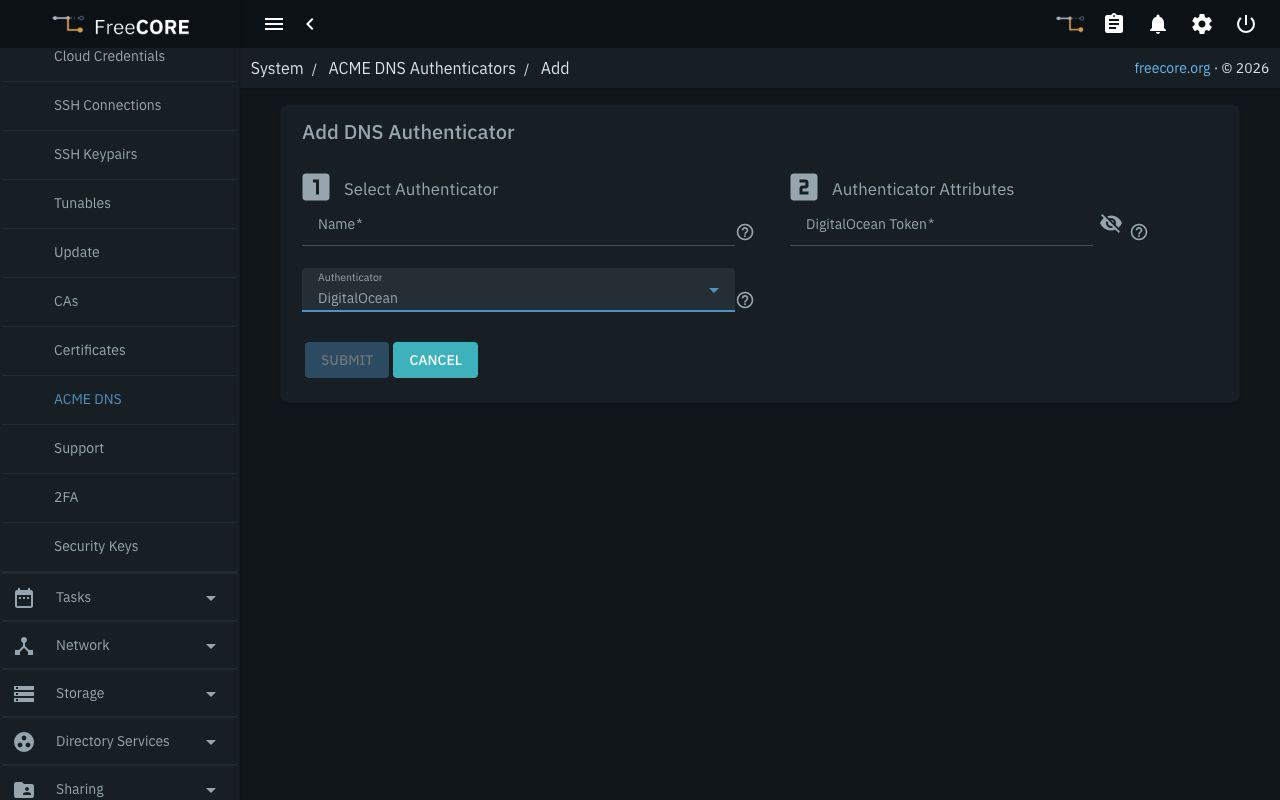
Enter a DigitalOcean Token that can list domains and create and delete DNS records. The provider documents the domain read, create, and delete scopes. See its credential requirements.
OVHcloud
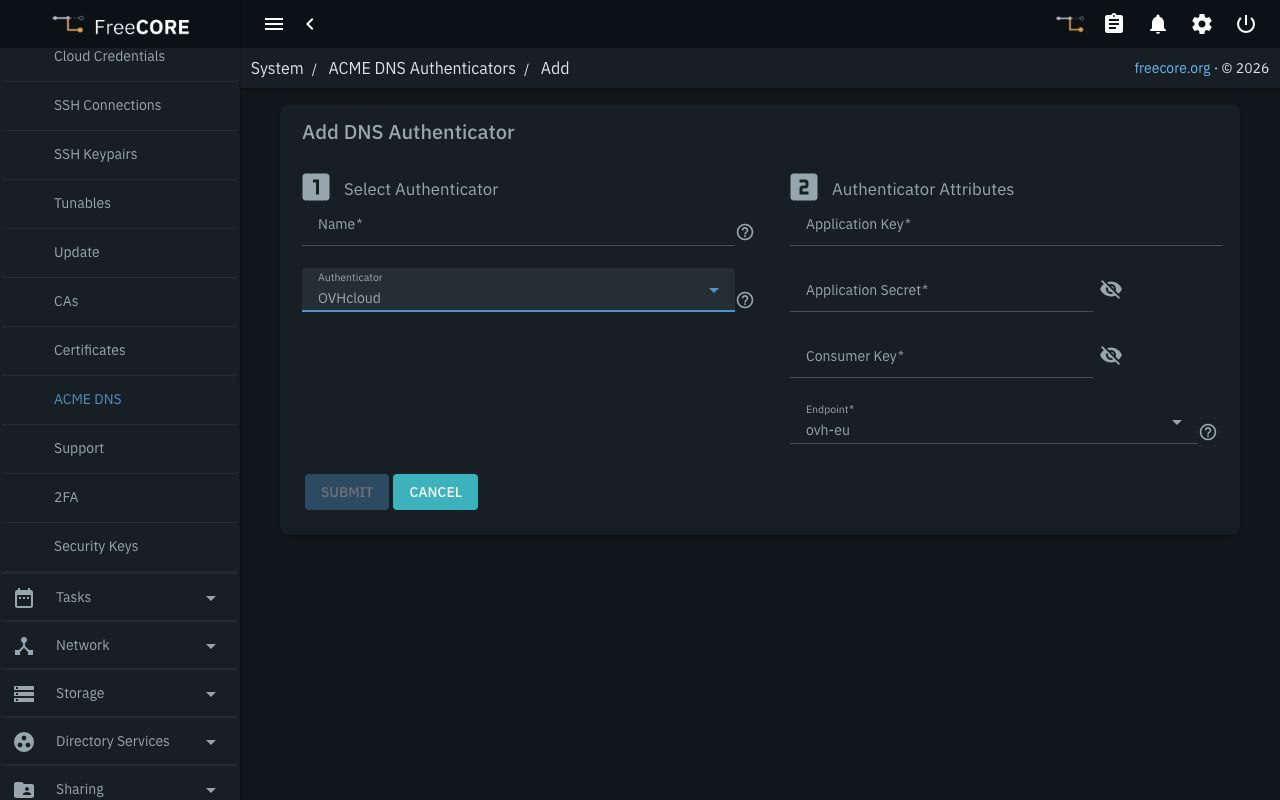
Provide the application's Application Key, Application Secret, and
Consumer Key. Select the matching Endpoint: ovh-eu, ovh-ca, or
ovh-us. The default is ovh-eu.
The credentials must allow listing zones, reading the selected zone's TXT records, creating and deleting challenge records, and refreshing that zone. For API access rules, the operations FreeCORE uses are:
| Method | API path |
|---|---|
| GET | /domain/zone |
| GET | /domain/zone/<zone>/record and /domain/zone/<zone>/record/<id> |
| POST | /domain/zone/<zone>/record and /domain/zone/<zone>/refresh |
| DELETE | /domain/zone/<zone>/record/<id> |
Replace <zone> with the authoritative zone. Limit record access to the
zones this authenticator needs.
Amazon Route 53
Enter Access ID Key and Secret Access Key for an AWS identity with
route53:ListHostedZones, route53:GetChange, and
route53:ChangeResourceRecordSets. Restrict record changes to the required
hosted zone. The Route 53 provider documentation
includes an example policy.
FreeCORE selects the most specific matching public hosted zone. Private hosted zones are not used for this challenge. Route 53 authenticators created on 15.0 keep working unchanged on 15.1.
Shell
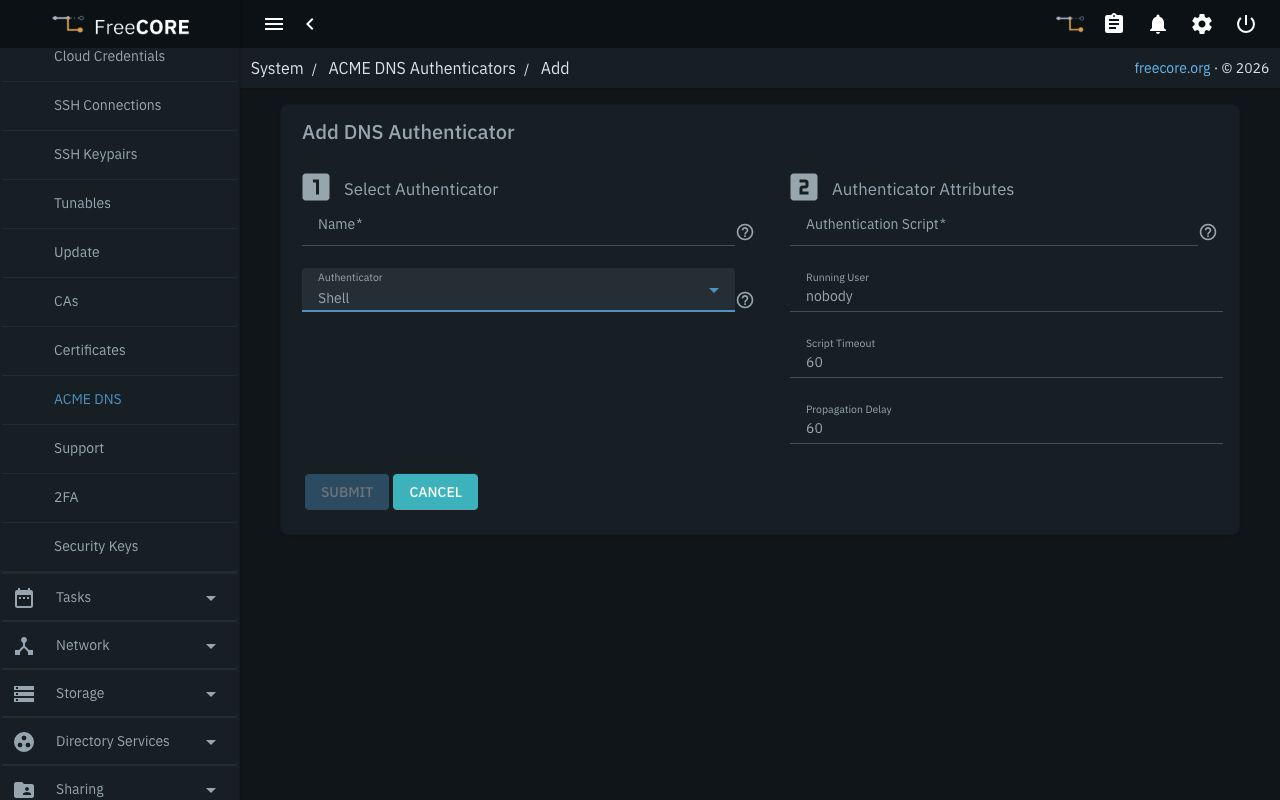
Shell runs an existing executable script on the FreeCORE host under the selected Running User. It is suitable for a DNS provider whose API is handled by your own script. It does not run inside a jail or application.
| Name | Description |
|---|---|
| Authentication Script | Path to an existing regular file inside a data-pool mount point. The selected user must be able to execute it. |
| Running User | Existing local user for both challenge creation and cleanup. Defaults to nobody. |
| Script Timeout | Maximum duration of each script invocation, in seconds. Defaults to 60, minimum 5. |
| Propagation Delay | Time to wait after a successful challenge-creation invocation, in seconds. Defaults to 60, minimum 10. |
FreeCORE passes four positional arguments to the script:
| Argument | Value |
|---|---|
$1 |
set to create the challenge, or unset to remove it. |
$2 |
Domain being validated. |
$3 |
Full DNS record name for the challenge. |
$4 |
TXT record content supplied by the ACME server. |
On set, publish the supplied TXT value at the supplied record name. On
unset, remove that challenge value while preserving unrelated records.
Return exit status 0 when the operation succeeds and a nonzero status
when it fails. FreeCORE reports a timeout or exit status if the script fails;
the script's output is not included in that error.
The script must work without a prompt and with the selected user's file permissions. Store any provider credentials so that user can read them, without granting other users unnecessary access. Choosing a privileged user also gives the script that user's host privileges.
Edit or Remove an Authenticator
Use the entry's Edit action to change its name or attributes. Its provider
cannot be changed in place. Authenticator settings are stored encrypted in
the configuration database. On 15.1, saved secret fields are shown as
********; leaving that value unchanged retains the secret.
Before deleting an authenticator, replace its assignments in certificates that use it. Deleting the entry removes those domain assignments and can prevent subsequent renewal. Keep the provider credentials or Shell script available for as long as those certificates need to renew.