General
Describes the fields for the general system settings for FreeCORE.
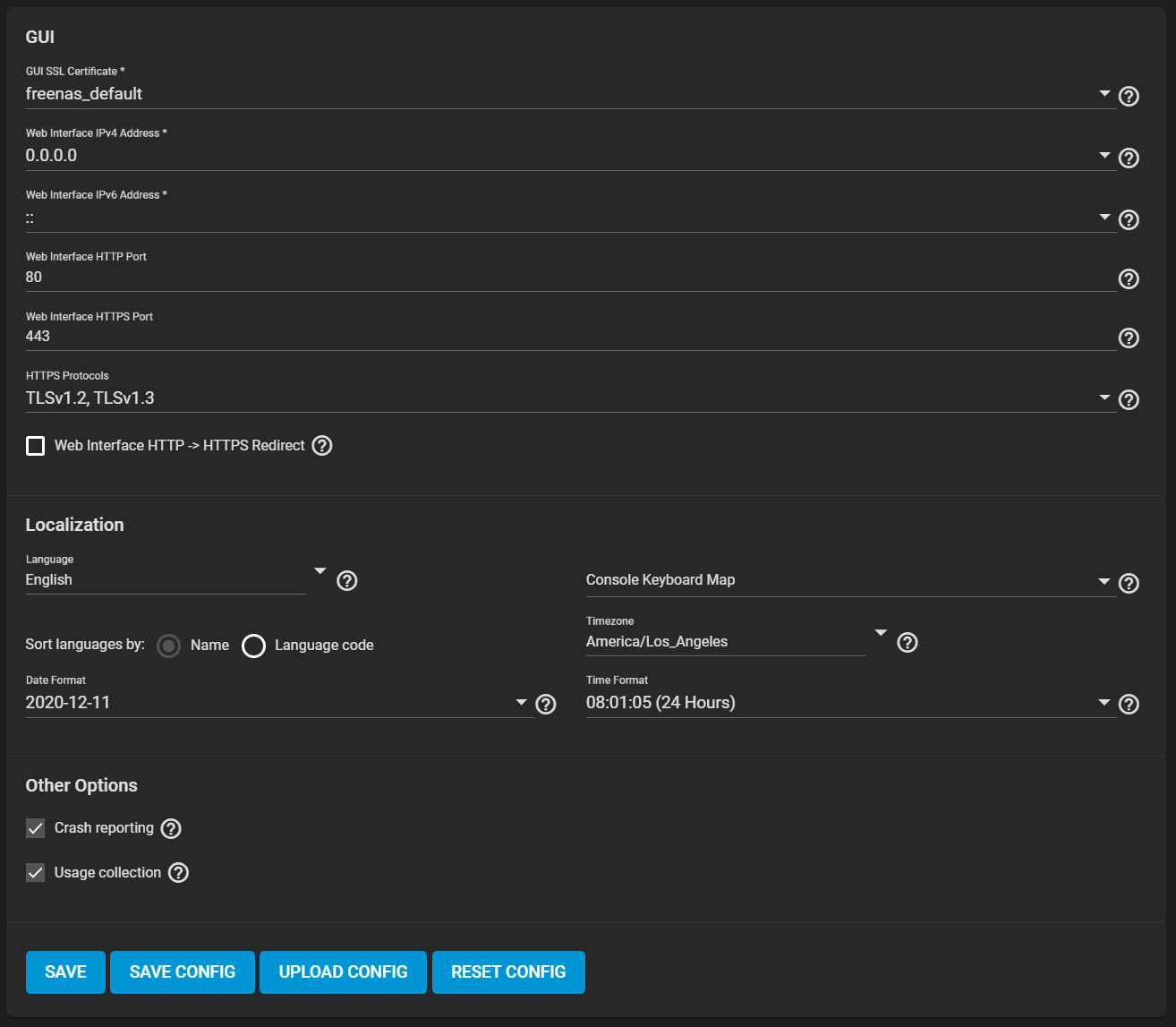
GUI
| Name | Description |
|---|---|
| GUI SSL Certificate | The system uses a self-signed certificate to enable encrypted web interface connections. To change the default certificate, select a different certificate that was created or imported in the Certificates menu. |
| Web Interface IPv4 Address | Choose a recent IP address to limit the usage when accessing the administrative GUI. The built-in HTTP server binds to the wildcard address of 0.0.0.0 (any address) and issues an alert if the specified address becomes unavailable. |
| Web Interface IPv6 Address | Choose a recent IPv6 address to limit the usage when accessing the administrative GUI. The built-in HTTP server binds to the wildcard address of 0.0.0.0 (any address) and issues an alert if the specified address becomes unavailable. |
| Web Interface HTTP Port | Allow configuring a non-standard port to access the GUI over HTTP. Changing this setting might require changing a Firefox configuration setting. |
| Web Interface HTTPS Port | Allow configuring a non-standard port to access the GUI over HTTPS. |
| HTTPS Protocols | Cryptographic protocols for securing client/server connections. Select which Transport Layer Security (TLS) versions FreeCORE can use for connection security. |
| Web Interface HTTP -> HTTPS Redirect | Redirect HTTP connections to HTTPS. A GUI SSL Certificate is required for HTTPS. Activating this also sets the HTTP Strict Transport Security (HSTS) maximum age to 31536000 seconds (one year). This means that after a browser connects to the web interface for the first time, the browser continues to use HTTPS and renews this setting every year. |
Localization
| Name | Description |
|---|---|
| Language | Select a language from the drop-down menu. |
| Date Format | Choose a date format. |
| Console Keyboard Map | Select a keyboard layout. |
| Timezone | Select a time zone. |
| Time Format | Choose a time format. |
Other Options
| Name | Description |
|---|
SAVE CONFIG: Saves a backup copy of the current configuration database in the format hostname-version-architecture.
UPLOAD CONFIG: Browse to a previously saved configuration file to restore that configuration.
RESET CONFIG: Reset the configuration database to the default base version.