System Reporting Screen
Contains information about the Reporting screen on FreeCORE.
FreeCORE has a built in reporting engine that displays helpful graphs and information about the system processes. FreeCORE uses Graphite for metric gathering and visualizations.
Configure system reporting on the System > Reporting screen.
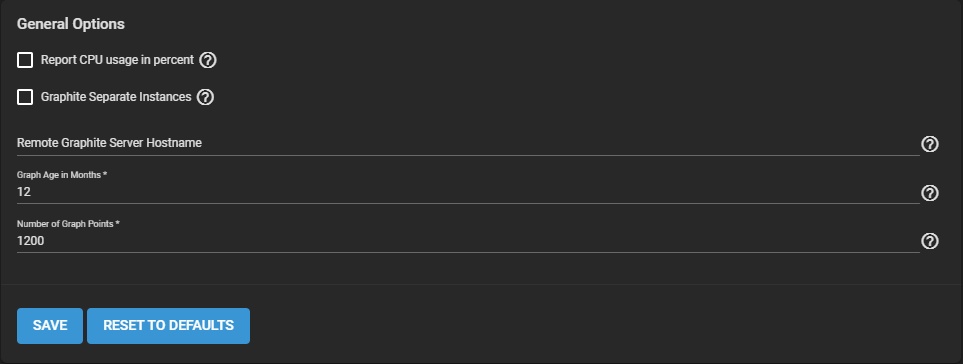
| Name | Description |
|---|---|
| Graph Age in Months | Maximum time (in months) FreeCORE stores a graph. Allowed values are 1-60. Changing this value causes the Confirm RRD Destroy dialog to display. Changes do not take effect until FreeCORE destroys the existing reporting database. |
| Number of Graph Points | The number of points for each hourly, daily, weekly, monthly, or yearly graph. Allowed values are 1-4096. Changing this value displays the Confirm RRD Destroy dialog. Changes do not take effect until FreeCORE destroys the existing reporting database. |
| Reset to Defaults | Resets all entered values and settings back to defaults. |
Important
Report history is cleared after changing and saving CPU reporting, graph age, or graph points.
For information on the Reporting screen graphs see System Reporting.
Reporting data is saved and preserved across system upgrades and reboots.
This allows viewing usage trends over time.
This data is frequently written and should not be stored on the boot pool or operating system device.
Reporting data is saved in /var/db/collectd/rrd/.