Dashboard
The web interface dashboard provides system details and shortcuts to various configuration screens.
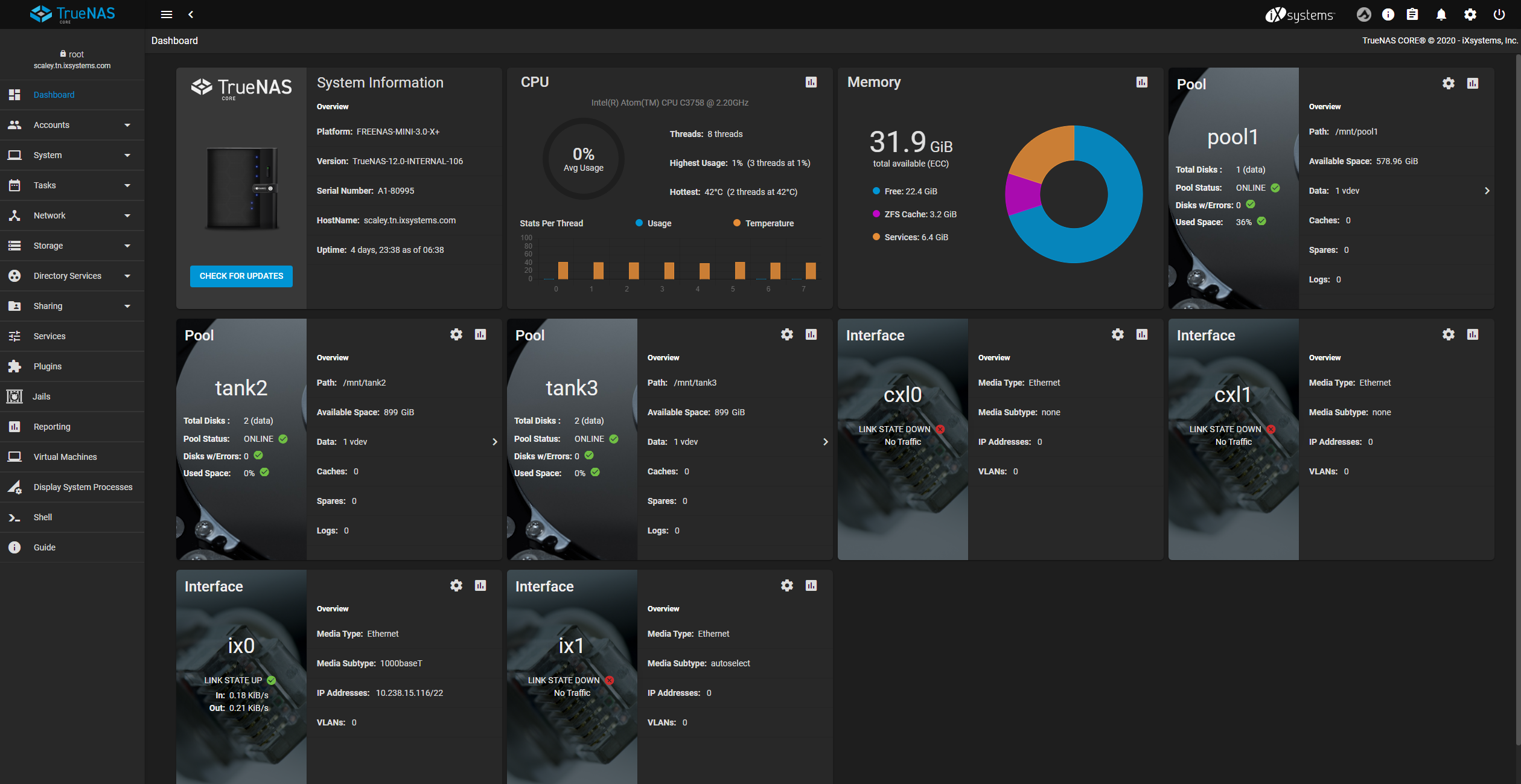
Dashboard Cards
| Card | Description |
|---|---|
| System Information | Shows simple system-level information about FreeCORE, including hardware name (with compatible systems), FreeCORE version, system hostname, and system uptime. Includes a button to update the installed version of FreeCORE. |
| CPU | Shows current CPU utilization and heat (with compatible hardware). Includes a shortcut icon to the in-depth CPU reporting screen. |
| Memory | Shows total memory available to the system and the current breakdown of memory usage. Includes a shortcut icon to the in-depth memory utilization screen. |
| Pool | Shows details about a configured storage pool. One card is created for each storage pool on the system. Includes shortcut icons to the pool configuration and statistics screens. |
| Interface | Shows details about system network interfaces, including current status and configuration details. Includes shortcut icons to the interface configuration and statistics screens. |
| FreeCORE Help | Contains links to verious documentation and assistance portals. |
- 01
- Guests and GPU Dashboard Cards Read virtual-machine, jail, application, and GPU statistics on the FreeCORE 15.1 dashboard.