Describes the Email screen on FreeCORE.
General Options
General Options
| Name | Description |
|---|---|
| From Email | The user account Email address for the From email address. You must configure the user account Email in Accounts > Users first. |
| From Name | The friendly name to show in front of the sending email address. Example: Storage System 01it@example.com |
Send Mail Method
| Name | Description |
|---|---|
| SMTP | Shows SMTP configuration options. |
| GMail OAuth | Shows Gmail OAuth configuration imported from TrueNAS CORE 13.3. Use SMTP for a new mail configuration. |
Send Mail Method
SMTP
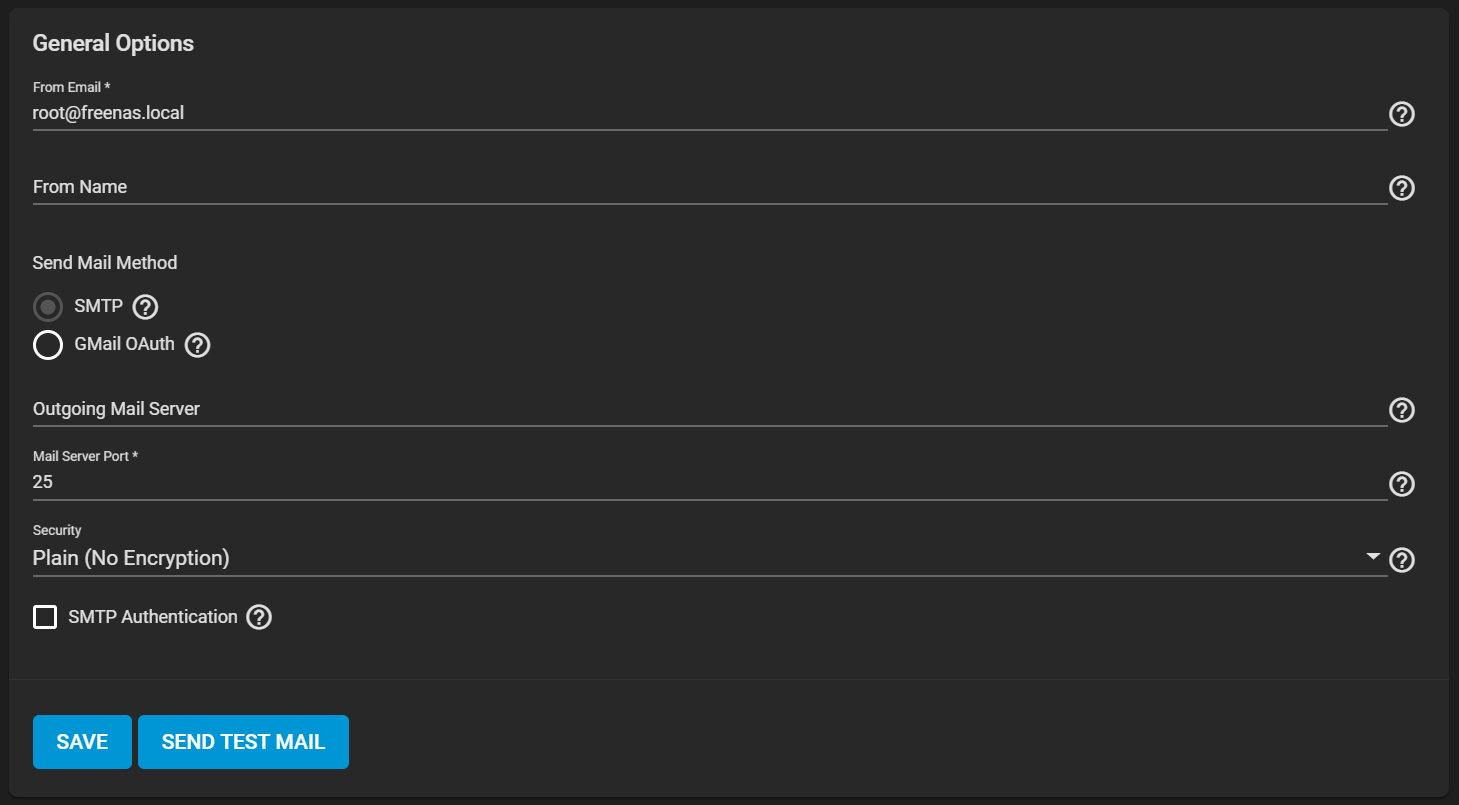
| Name | Description |
|---|---|
| Outgoing Mail Server | Hostname or IP address of SMTP server used for sending email. |
| Mail Server Port | SMTP port number. Typically 25/465 (secure SMTP), or 587 (submission). |
| Security | Choose an encryption type. Choices are Plain (No Encryption), SSL (Implicit TLS), or TLS (STARTTLS). |
| SMTP Authentication | Set when the SMTP server uses authentication credentials. Shows additional credentials options. |
| Username | Displays after selecing SMTP Authentication. The user name for the sending email account, typically the full email address. |
| Password | Displays after selecting SMTP Authentication. The password for the sending email account. |
GMail OAuth
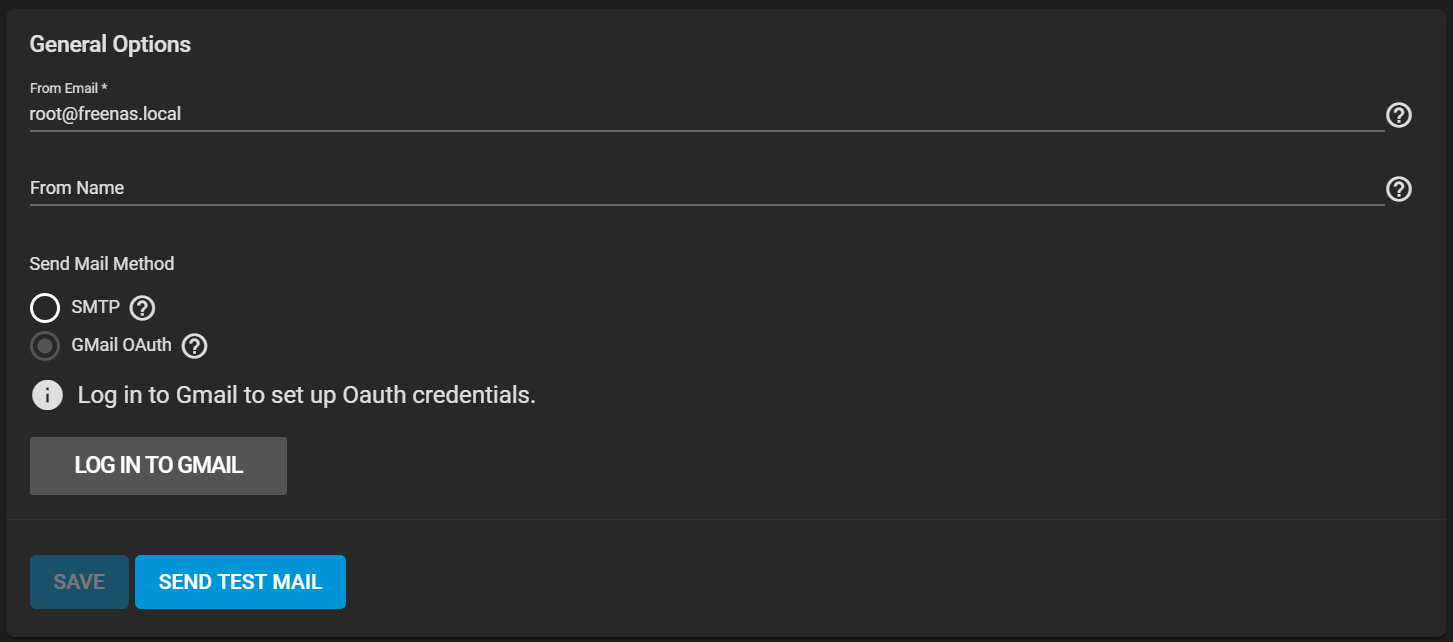
Inherited CORE 13.3 illustration. Imported Gmail OAuth configuration remains usable, but FreeCORE does not offer the shown hosted login for a new configuration.
The LOG IN TO GMAIL action shown in the inherited figure belongs to the 13.3 hosted authorization flow and is unavailable for a new FreeCORE configuration. Imported Gmail OAuth configuration remains usable and can be checked with SEND TEST MAIL. Do not delete it until replacement SMTP delivery is configured and tested. A revoked hosted authorization cannot be renewed through FreeCORE.