Setting Up Jail Storage
Describes how to set up Jail Storage in FreeCORE.
A mount point exposes a host dataset or directory inside a jail with FreeBSD nullfs. It does not copy the data into the jail.
Use mount points for large or important application data so that it can be managed and backed up separately from the jail. Stop the jail before adding, changing, or removing a mount point.
Add a Mount Point
Go to Jails, expand the jail, and click Mount Points. Select Actions > Add Mount Point.
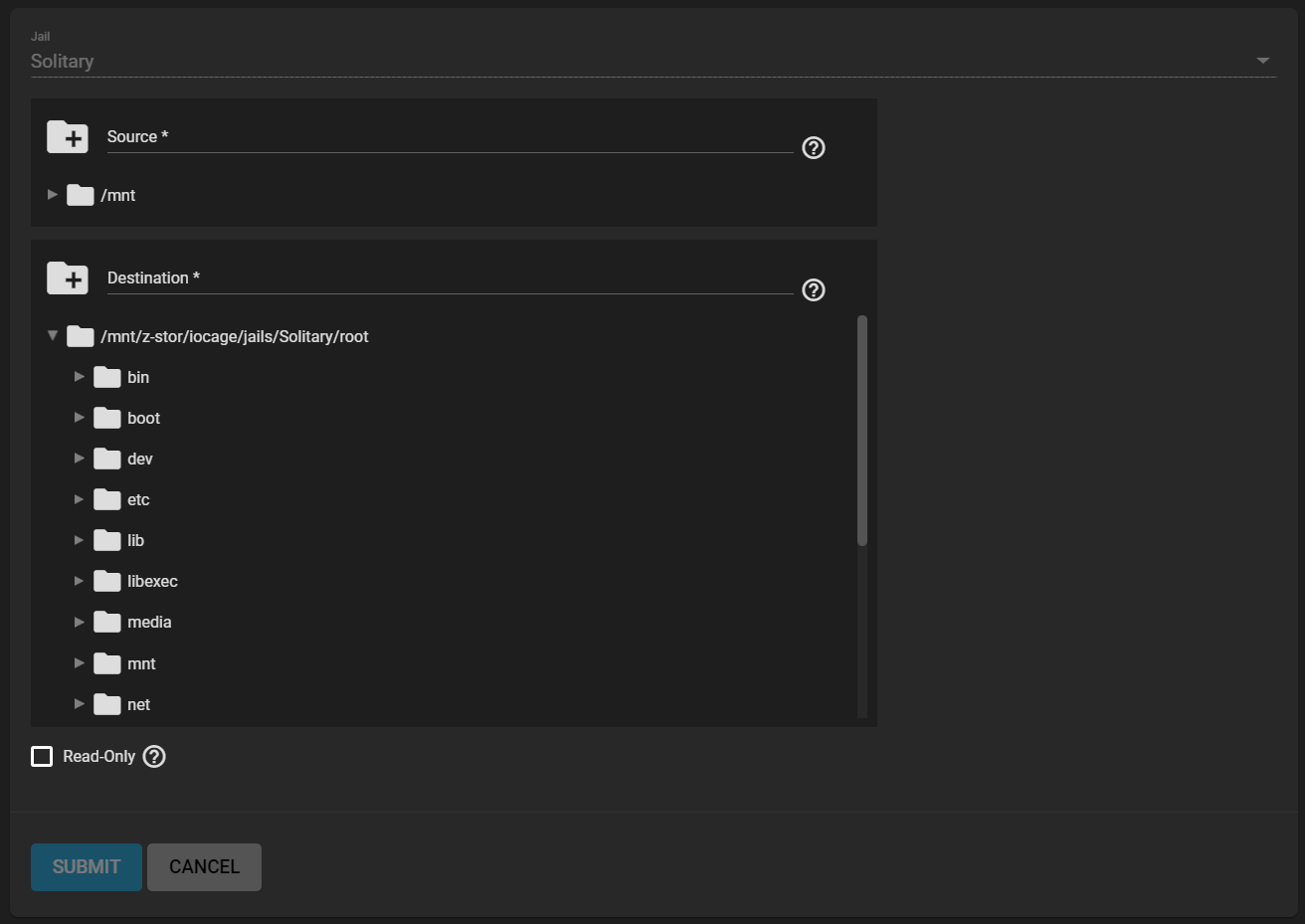
Configure:
- Source: an existing dataset or directory on the FreeCORE host.
- Destination: a path inside the jail's root filesystem.
- Read-Only: prevents the jail from modifying the source data.
The destination must be inside the selected jail. Use a dedicated child directory rather than mounting over a system directory that the jail needs to boot.

Set Permissions
Permissions are evaluated by numeric UID and GID. An account inside the jail does not automatically match an account with the same name on the host. Determine the UID and GID used by the application, then grant only the required permissions on the source dataset.
Mounting a parent dataset does not automatically mount child datasets because each child is a separate filesystem. Add a separate mount point for every child dataset the jail needs.
Deleting or changing a file through the destination path changes the same file in the source dataset. Removing the mount-point entry only removes the link; it does not delete the source data.