Increasing iSCSI Share Available Storage
Describes how to increase iSCSI share available storage on FreeCORE.
Expanding LUNs
FreeCORE lets users expand Zvol and file-based LUNs to increase the available storage that the iSCSI shares.
Expanding Zvol LUNs
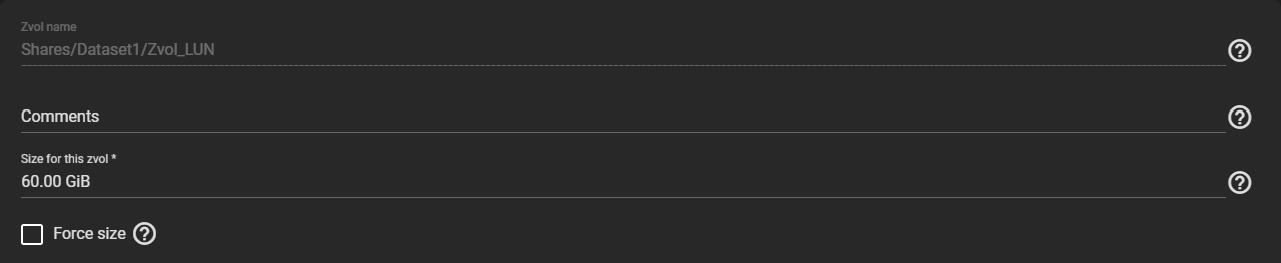
To expand a Zvol LUN, go to Storage > Pools and click the Options next to the Zvol LUN, then select Edit Zvol.

Enter a new size in the Size for this zvol field, then click SAVE.
Tip
To prevent data loss, the web interface does not allow users to reduce the Zvol size. FreeCORE also does not allow users to increase the Zvol size past 80% of the pool size.
Expanding a File-Based LUN
To expand a file-based LUN, you need to know the path to the file. To find the path, go to Sharing > Block Shares (iSCSI) and click the Extents tab. Click the Options next to the file-based LUN and select Edit.
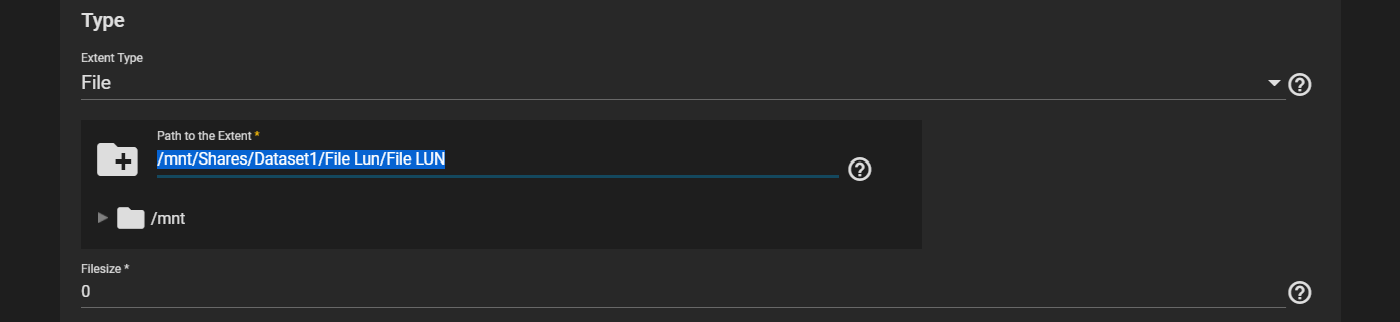
Highlight and copy the path, then click CANCEL
Go to the shell and enter truncate -s +size path/to/file where size is how much space you want to grow the file by, and path/to/file is the file path you copied earlier, then press Enter.
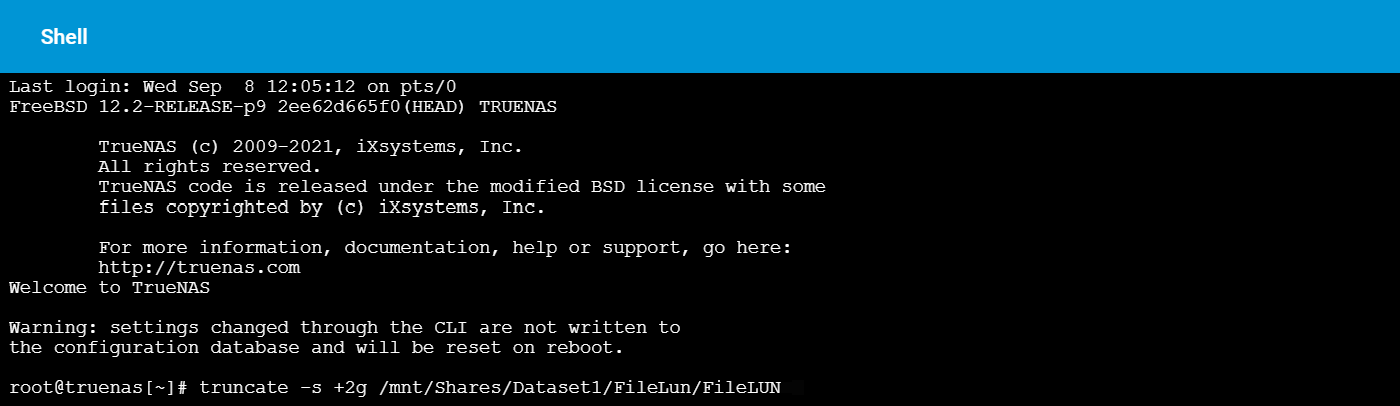
An example of the command could look like this: truncate -s +2g /mnt/Shares/Dataset1/FileLun/FileLUN
Lastly, go back to the extent in Sharing > Block Shares (iSCSI) and make sure the Filesize is set to 0 so that the share uses the actual file size.