Setting up NIS
Use the NIS screen to configure Network Information System (NIS) on your FreeCORE.
NIS (Network Information Service) is a client–server directory service protocol. It assists in distributing system configuration data between computers on a network. This data can include user and host names.
Important
NIS is limited in scalability and security. For modern networks, LDAP has replaced NIS.
To configure NIS, go to Directory Services > NIS.
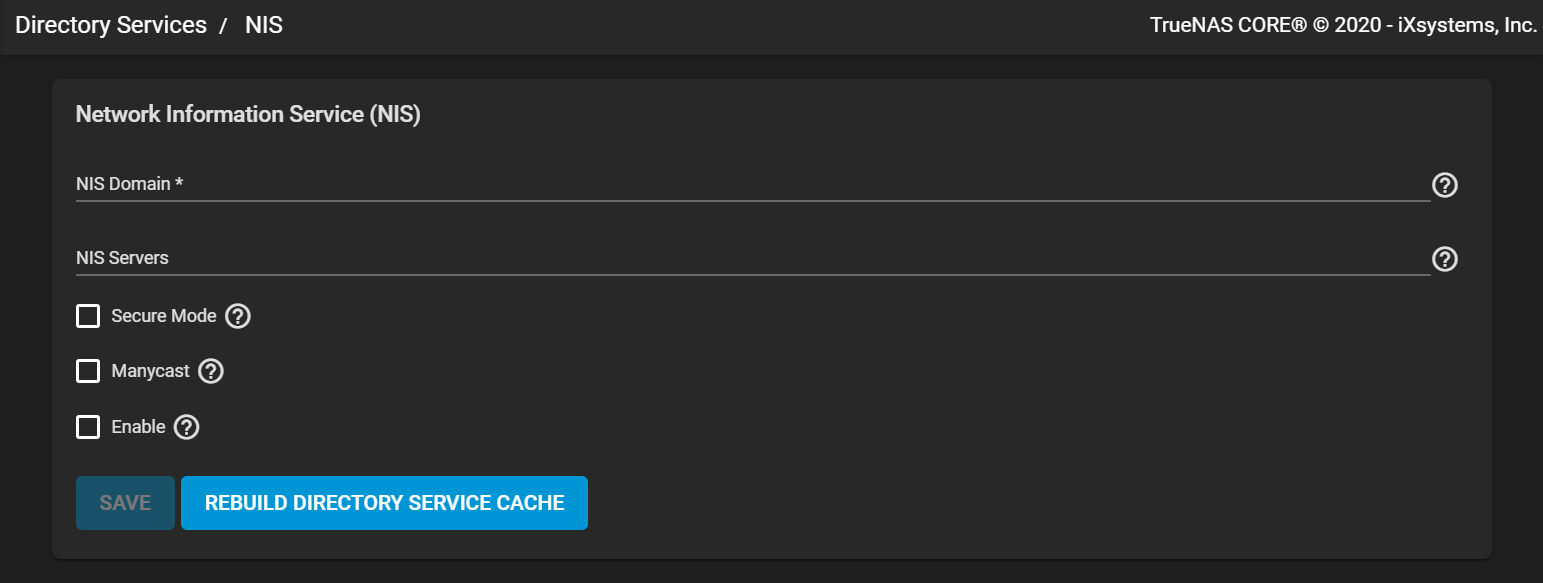
Enter the NIS Domain name and list any NIS Servers (host names or IP addresses). Press Enter to separate server entries. Configure the remaining options as needed:
- Secure Mode : Select to have ypbind(8) refuse to bind to any NIS server not running as root on a TCP port over 1024.
- Manycast : Select for
ypbindto bind to the fastest responding server. - Enable : Leave the checkbox clear to disable the configuration without deleting it.
Click SAVE to save configuration settings.
Click REBUILD DIRECTORY SERVICE CACHE to resync the cache if it becomes out of sync. Or if fewer users than expected are available in the permissions editors.