Static Routes Screen
Describes the Static Routes screen in FreeCORE.
Use the Network Static Routes screen to define static routes on your FreeCORE. By default, no static routes are defined on a default FreeCORE system.
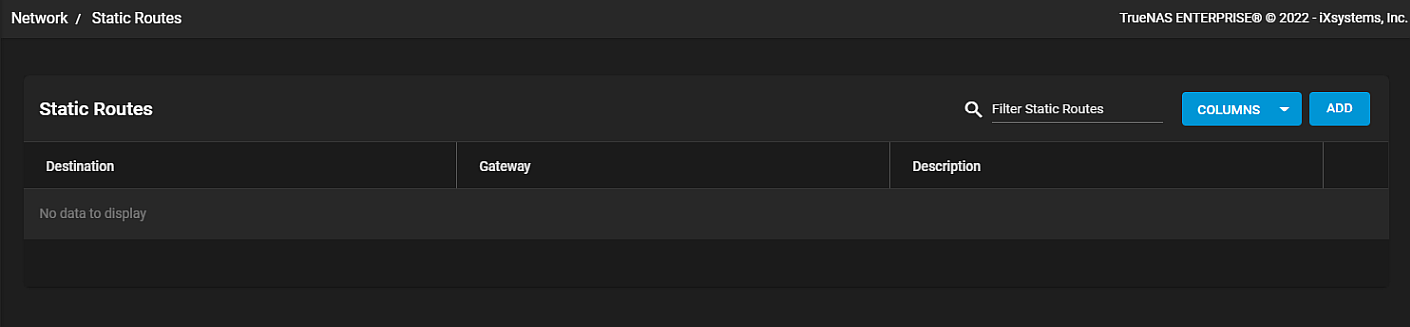
Use the blue Columns button to display options to change the information displayed in the Static Routes table. Options are Unselect All, Gateway, Description or Reset to Defaults.
Use Add to dispay the Static Routes Add screen.
Static Route Add Screen
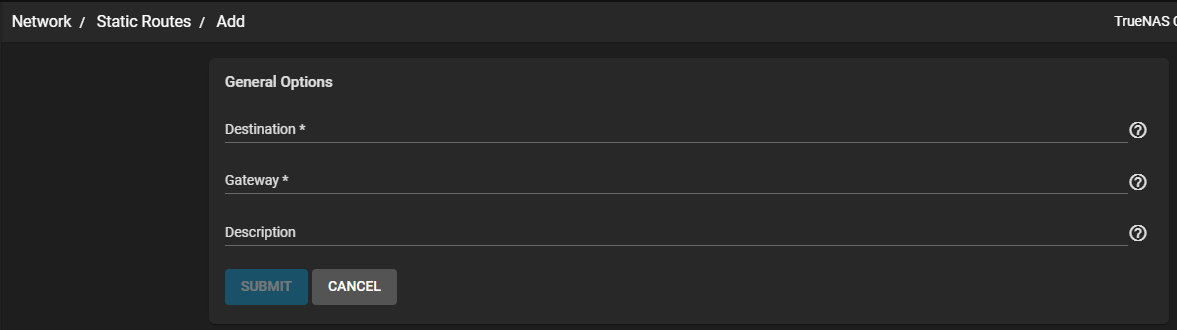
| Setting | Description |
|---|---|
| Destination | Enter the desination IP using the format A.B.C.D/E where E is the CIDR mask. |
| Gateway | Enter the IP address of the gateway. |
| Description | Enter any notes or identifiers describing the static route. |
The SUBMIT button activates after entering values in the required fields. Use CANCEL to exit without saving and retun to the Static Routes screen.