Network Summary Screen
Describes the fields in the Network Summary screen in FreeCORE.
It is recommended to set up your system connections before setting up data sharing. This allows integrating FreeCORE into your specific security and network environment before attempting to store or share critical data.
Network Summary
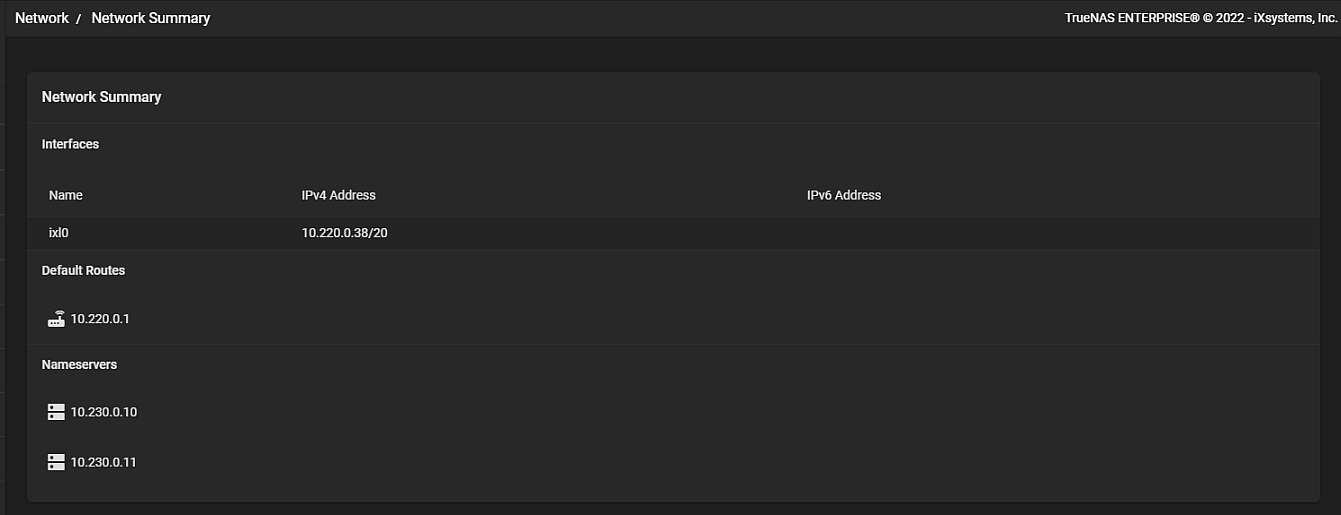
The Network Summary gives a concise overview of the current network setup. Information about the currently active Interfaces, Default Routes, and Nameservers is provided. These areas are not editable.
-
Interfaces shows any configured physical bridge, LAGG, and vlan interfaces. All detected physical interfaces are listed, even when unconfigured. The IPv4 or IPv6 address displays when a static IP is saved for an interface.
-
Default Routes lists all saved FreeCORE Default Routes. Go to Network > Global Configuration to configure Default Routes.
-
Nameservers lists any configured DNS name servers that FreeCORE uses. To change this list, go to Network > Global Configuration. The FreeCORE Hostname and Domain, Default Gateway, and other options are available in Network > Global Configuration.
Additional Network Configuration Screens
Define any Static Routes in Network > Static Routes.
Out-of-band management is managed from Network > IPMI. This option is visible only when FreeCORE detects the appropriate physical hardware.