SNMP Screen
Describes the SNMP screen in FreeCORE.
Simple Network Management Protocol (SNMP) is an Internet Standard protocol. SNMP gathers and sorts data about managed devices on IP networks, such as LANs and WANs. Use the SNMP screen to configure SNMP service on your FreeCORE.
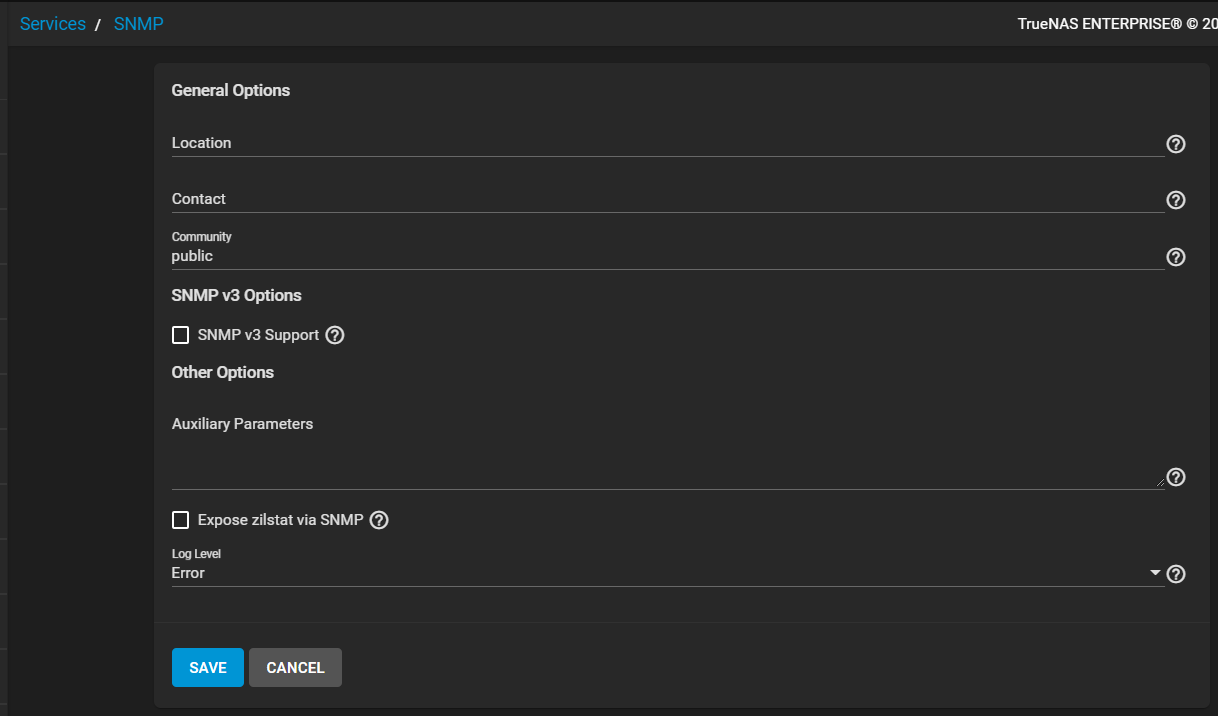
After selecting SNMP v3 Support more configuration fields display.
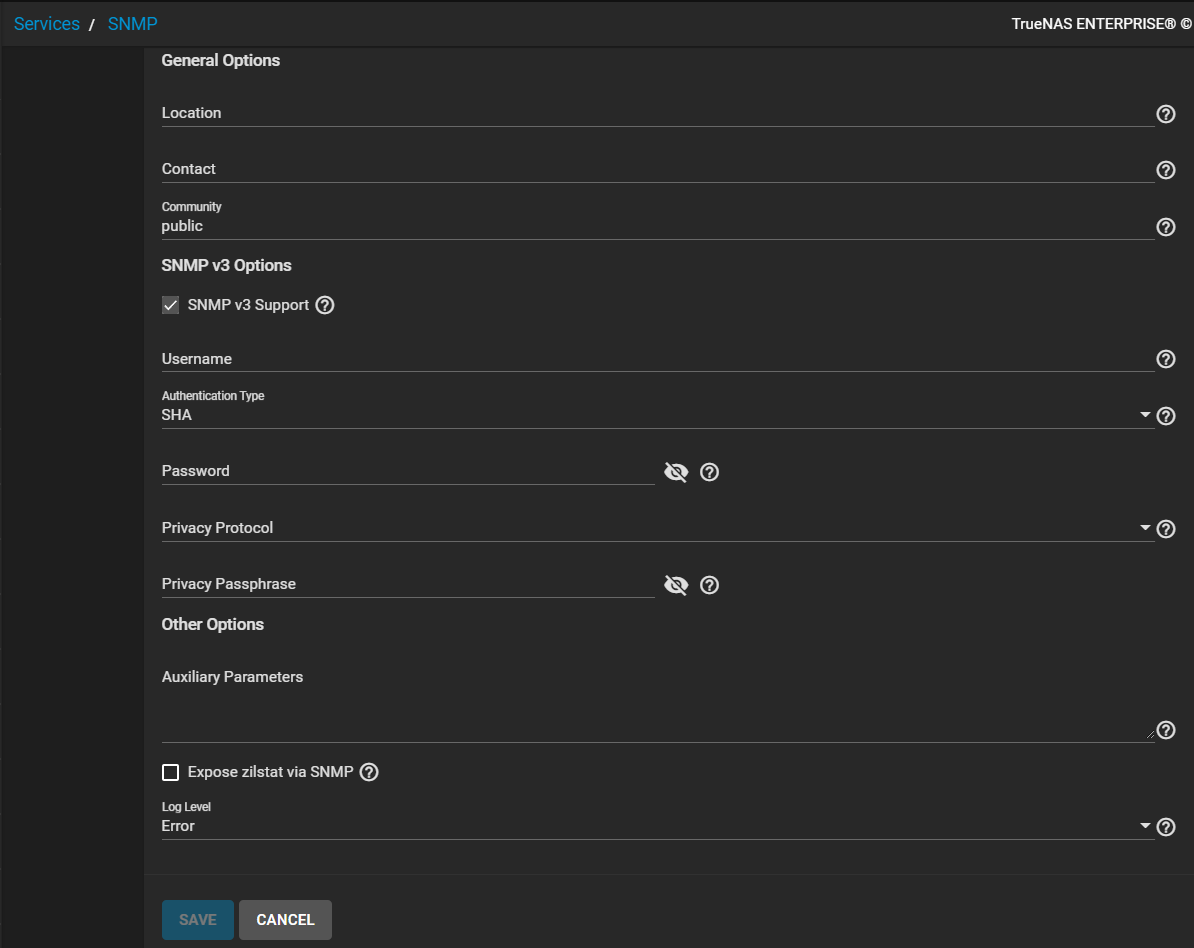
After filling in all required fields with appropriate values, the SAVE button activates. Click SAVE to save settings.
Click CANCEL to exit without saving and display the Services screen.
Field Descriptions
General Options
| Name | Description |
|---|---|
| Location | Enter the location of the system. |
| Contact | Enter the email address to receive SNMP service messages. |
| Community | Enter a community other than the default public to increase system security. Value can only contain alphanumeric characters, underscores (_), dashes (-), periods (.), and spaces. Not required and can leave this empty for SNMPv3 networks. |
SNMP v3 Options
| Name | Description |
|---|---|
| SNMP v3 Support | Select to to enable support for SNMP version 3. See snmpd.conf(5) for configuration details. |
| Username | Enter a user name to register with this service. |
| Authentication Type | Select an authentication method: --- for none, SHA, or MD5 from the dropdown list. |
| Password | Enter a password of at least eight characters. |
| Privacy Protocol | Select a privacy protocol: --- for none, AES, or DES from the dropdown list. |
| Privacy Passphrase | Enter a separate privacy passphrase. Password is used when this is left empty. |
Other Options
| Name | Description |
|---|---|
| Auxiliary Parameters | Enter any additional snmpd.conf options. Add one option for each line. |
| Expose zilstat via SNMP | Select to enable. If enabled this option might have performance implications on your pools. |
| Log Level | Select how many log entries to create. Dropdown list options are Emergency, Alert, Critical, Error, Warning, Notice, Info and Debug. |