Task Manager Screen
Displays a list of tasks performed by your FreeCORE.
The Task Manager displays a list of tasks performed by the FreeCORE system. It starts with the most recent. Click the to open the Task Manager.
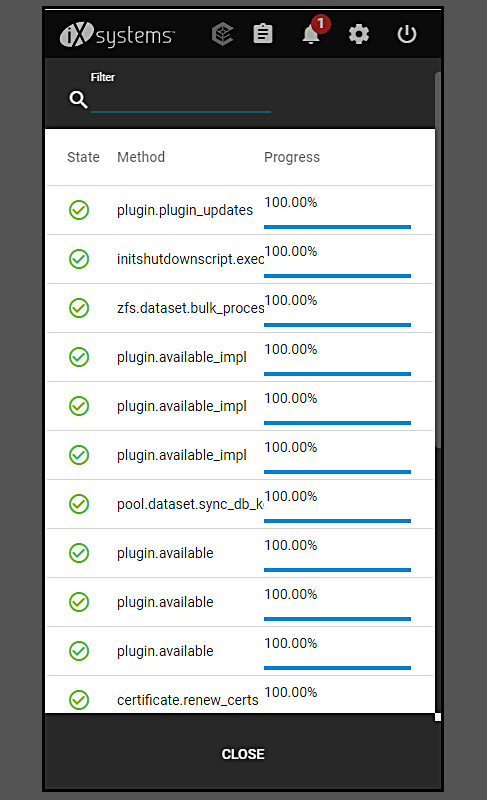
| Name | Description |
|---|---|
| Filter | Search function to locate or filter the list for a particular running task. |
| View Logs | Tasks with log file output have a View Logs button to show the log files. |
| State | Column header for tasks that shows the current condition of the task. Indicates whether the task completed or is still in progress. Click State to sort by this column. |
| Method | Column header for tasks that indicates both the name of the task and the method used. Click Method to sort by this column. |
| Progress | Column header for tasks that indicates the progress of the the task. Measured by percentage from start to completion. Click Progress to sort by this column. |
| CLOSE | Closes the Task Manager dialog. Click anywhere off the dialog or use the Esc to close this dialog. |