VMware-Snapshots Screen
Describes the fields in the VMware Snapshot screen on FreeCORE.
Use Storage > VMware-Snapshots to add a VMware snapshot that coordinates ZFS snapshots when using FreeCORE as a VMware datastore.
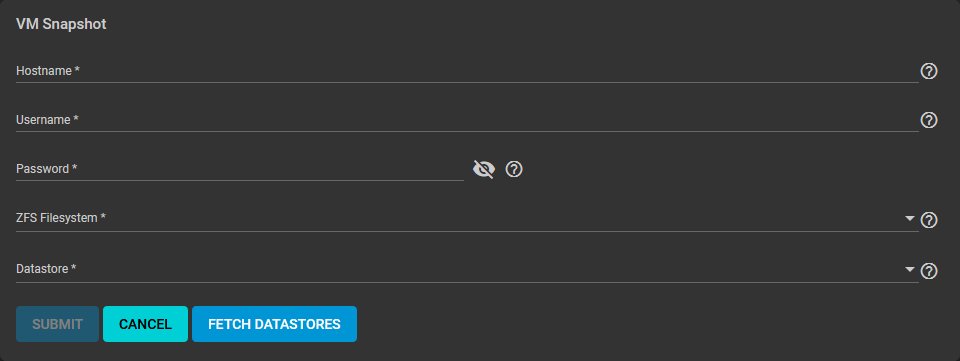
| Name | Description |
|---|---|
| Hostname | Enter the IP address or host name of the VMware host. When clustering, use the IP address or host name of the vCenter server for the cluster. |
| Username | Enter a user account name created on the VMware host. The account must have permission to snapshot virtual machines. |
| Password | Enter the password associated with the value in Username. |
| ZFS Filesystem | Select a file system to snapshot from the dropdown list. Values populate from the VMware host response. |
| Datastore | Select an option from the dropdown list after entering the Hostname, Username, and Password, click FETCH DATASTORES to populate the menu. Select the datastore to synchronize. Selecting a datastore also select any previously mapped datasets. |
Use FETCH DATASTORES to have FreeCORE connect to the VMware host.