S.M.A.R.T. Tests
Describes the fields on the S.M.A.R.T. Test screen on FreeCORE.
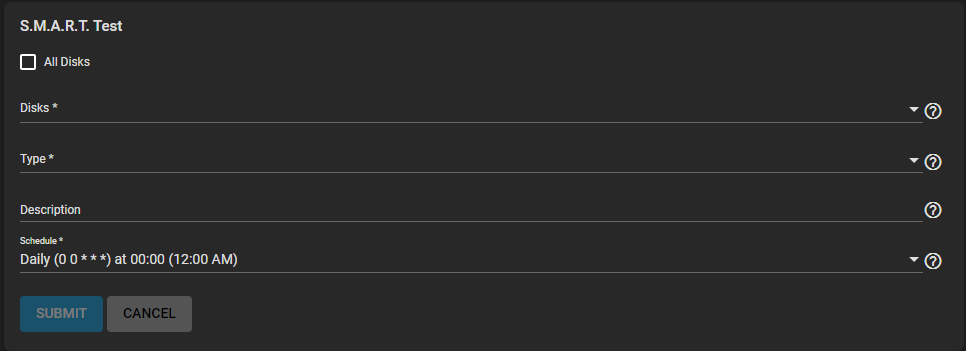
| Name | Description |
|---|---|
| Disks | Select the disks to monitor from the dropdown list. |
| All Disks | Select to monitor every disk on the system with S.M.A.R.T. enabled. Leave clear to choose individual disks on the Disks dropdown list to include in the test. |
| Type | Select the test type from the dropdown list. Options are LONG, SHORT, CONVEYANCE or OFFLINE. See smartctl(8) for descriptions of each type. Some types degrade performance or take disks offline. |
| Description | Enter information about the S.M.A.R.T. test. |
| Schedule | Select a preset test schedule from the dropdown list. Select Custom to open the advanced scheduler and define a new schedule for running the test. |