WebDAV Screen
Use the Sharing WebDAV screen to configure Web Distributed Authoring and Versioning (WebDAV) on your FreeCORE.
Web Distributed Authoring and Versioning (WebDAV) is an extension of HTTP. It is a protocol designed to help with web content authoring and management. Use the Sharing WebDAV screen to configure WebDAV on your FreeCORE.
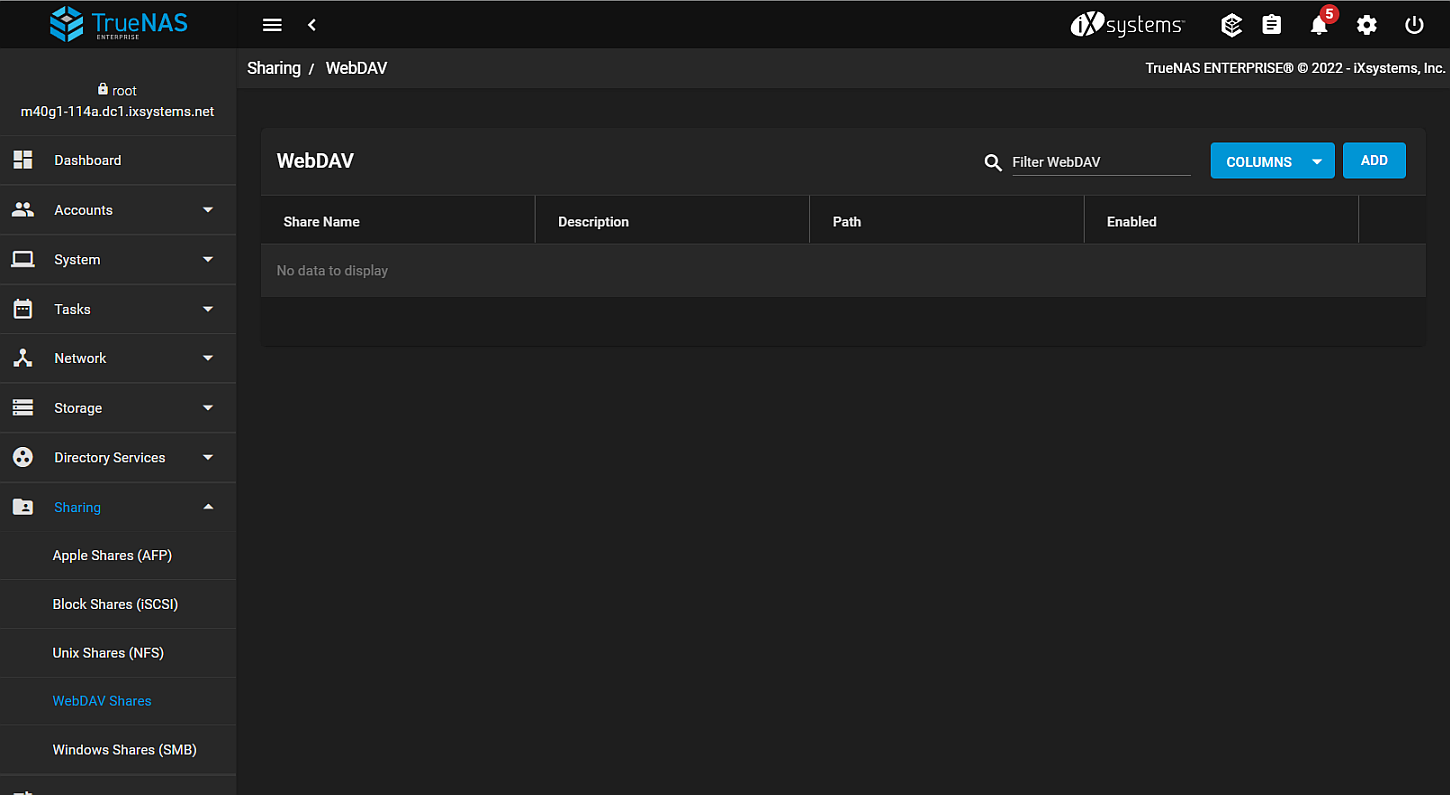
Click COLUMNS to change the columns displayed in the table. Options are Select All, Description, Path, Enabled, Read Only, Change User and Group Owners or Reset to Defaults.
Click ADD to open the WebDAV configuration screen.
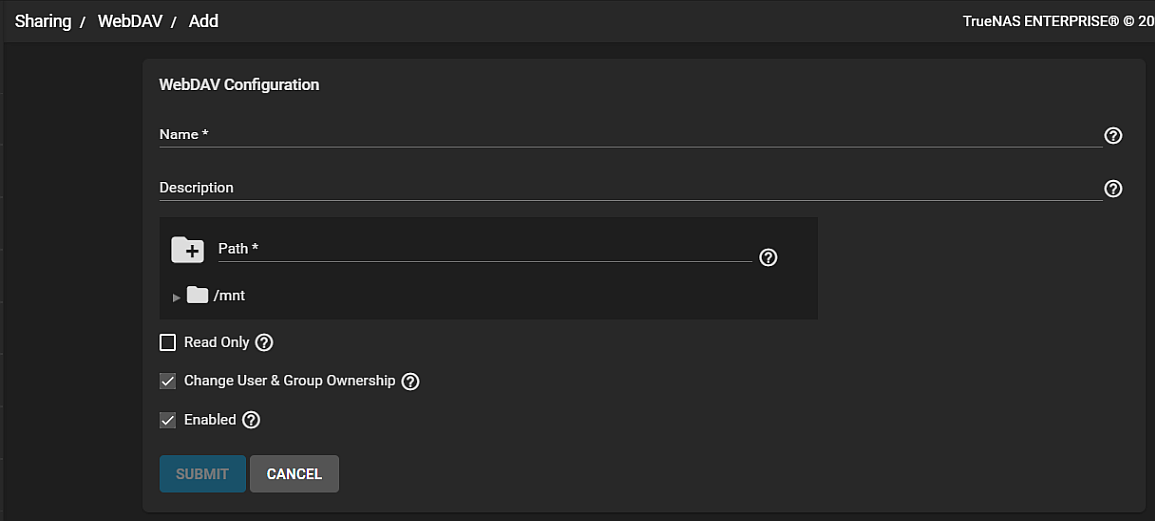
| Name | Description |
|---|---|
| Name | Enter a name for the share. |
| Description | Optional. |
| Path | Browse to the pool or dataset to share. |
| Read Only | Select to prohibit users from writing to this share. |
| Change User & Group Ownership | Change existing ownership of all files in the share to user webdav and group webdav. Clearing the check mark means you must manually set ownership of the files accessed through WebDAV to the webdav or www user/group. |
| Enabled | Select to enable this WebDAV share. Leave checkbox clear to disable this WebDAV share without deleting it. |